

Topic Archives

Learn WordPress

Various resources for learning about WordPress, including tutorials, articles, and plugins. These resources can help you better understand how to use WordPress, customize your sites, and improve functionality.

View all WordPress articles

Quick Tip: How To Use WordPress Block Notes

Quick Tip: How To Use WordPress Block Notes

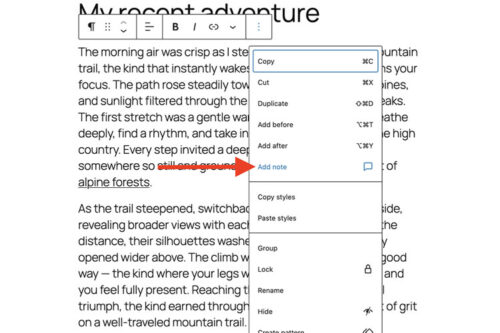
WordPress Notes adds block level comments to the Block Editor. We show you how to add a note to any block, reply in a thread, get email notifications, and mark notes as resolved for smoother collaboration.

A New Choice: Use an Existing Plugin or Vibe Code Your Own?
A New Choice: Use an Existing Plugin or Vibe Code Your Own?

AI makes it easier to build custom WordPress plugins, but it does not make the decision automatic. This article breaks down when to install an existing plugin and when to build your own, based on scope, flexibility, and long-term maintenance.

Using my.WordPress.net to Experiment With AI
Using my.WordPress.net to Experiment With AI

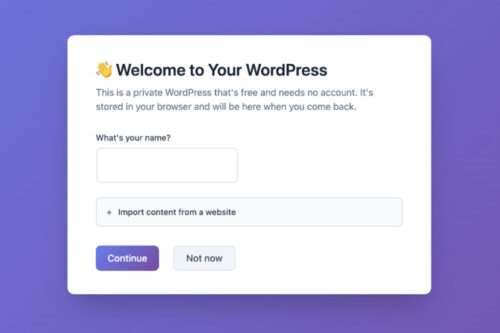
Learn how to use my.WordPress.net as a safe AI sandbox. We show you how to install WordPress in the browser, add the AI Assistant app, connect ChatGPT, Claude, or Ollama, and run a few test prompts.

How to Refactor Your Outdated WordPress Code With AI

How to Refactor Your Outdated WordPress Code With AI

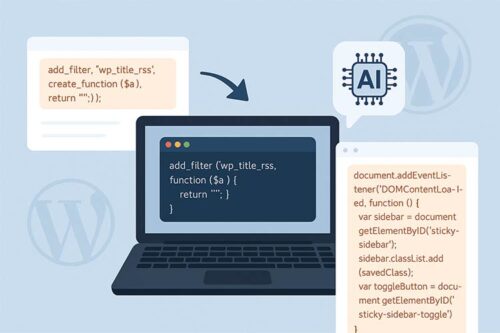
Part of bringing your older WordPress site up to modern standards means refactoring outdated code. We show you how to use AI tools to help identify and fix any issues.

How WordPress Agencies Can Give Back to the Community

How WordPress Agencies Can Give Back to the Community

WordPress has a big community, and agencies can benefit from getting involved. We share practical ways to give back, such as joining local meetups, contributing time to WordPress teams, and sharing plugins, themes, or tutorials.

How to Better Organize Content within WordPress
How to Better Organize Content within WordPress

By mapping out your WordPress posts and pages logically, it will look professional, help with SEO, and will likely reduce your stress levels.

How to Use Remote Data Blocks to Display Google Sheets Data in WordPress

How to Use Remote Data Blocks to Display Google Sheets Data in WordPress

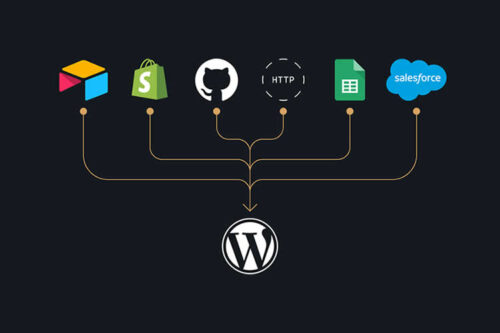
Remote Data Blocks can pull data from services like Google Sheets and display it in WordPress blocks. This tutorial tests the setup, connects a Sheet using a Google Cloud service account, and then formats the output with a block pattern.

Tips for Building a Performant WordPress Website

Tips for Building a Performant WordPress Website

Want a faster WordPress site? Learn how to boost performance with better hosting, lightweight themes, optimized images, and smart caching strategies.

Use AI to Enhance – Not Replace – Your WordPress Expertise

Use AI to Enhance – Not Replace – Your WordPress Expertise

AI can speed up WordPress development, but overreliance can hurt your workflow. Learn how to use AI tools effectively without losing control of your code.

How To Protect Media Files Uploaded to WordPress

How To Protect Media Files Uploaded to WordPress

WordPress uploads are public by default, so your files can be hotlinked or pulled into search results. This article shows server-level hotlink blocking, noindex headers, and ways to protect attachment pages.

How to Build Client-Proof WordPress Websites
How to Build Client-Proof WordPress Websites

Handing off a new WordPress website to a client offers a great feeling of satisfaction. You provide a pixel-perfect rendering of a brand’s online presence and hope it plays a…

Learn How to Display WordPress Custom Field Data With Blocks

Learn How to Display WordPress Custom Field Data With Blocks