The WP_List_Table Function: What it Is and How to Use It Within a Typical WordPress Installation
For the past several major releases of WordPress, the columns of data within the WordPress Dashboard have been sortable either in ascending or descending order. This applies to virtually every column located within the Dashboard, including those that advertise categories, post titles, publishing dates, or page creation dates. It can also alphabetize things like categories, tags, and even pages or posts. This is a long-requested function on behalf of average…
Tips to Launch your WordPress Plugin Effectively
When our company recently released our first WordPress plugin, we knew how to develop the plugin, but had absolutely no idea how WordPress manages plugins on their directory nor how the community engages with those plugins. So, here are four things we learned from our releasing our first plugin: Your plugin’s name & readme.txt helps your rank Similar to SEO for Google, relevancy is one of the key factors to…
15 Free, Minimal and Responsive WordPress Themes
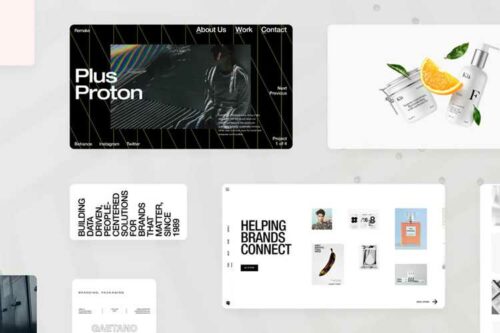
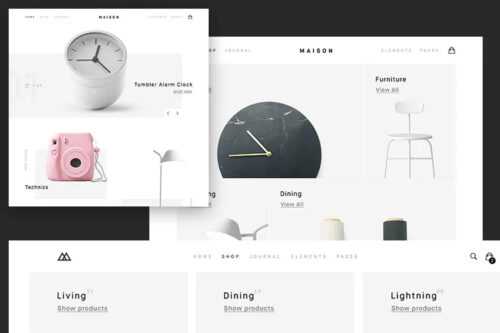
In this round-up we have compiled some of the best free, responsive and minimal WordPress themes that have been recently released. All of the beautiful themes below do work perfectly well as they are across all screen resolutions, but the real beauty of these minimal themes is that they can all be used as a great base for further development. All screenshots below were created using the Responsive Design Bookmarklet…
Working Within Limited Databases: How to Install Multiple WordPress Websites into a Single MySQL Database
WordPress counts more than 60 million worldwide users of all sizes, from corporate websites to personal blogs. And while corporate implementations of WordPress might have access to unlimited server resources and MySQL databases, it’s often true that amateur web hosting plans cut corners and eliminate features in order to save customers money. In most cases, one of the first features to get minimized on a low-cost web hosting plan is…
Increasing Traffic and Revenue: How to Set Up an Affiliate System within WordPress
Affiliate systems are pretty complex, and this necessitates an appropriately broad and advanced plugin to fully administer the functionality that is considered standard with any such program. Sadly, this means that most of the major plugins for enabling a WordPress affiliate program are paid plugins that place a premium on their advanced features and capabilities. That’s not necessarily a bad thing, however. These WordPress affiliate program plugins do sometimes demand…
Next And Previous Links On WordPress Posts
On many WordPress themes you see links at the bottom of single posts which direct you to the previous and next posts of the blog. So, in this short tutorial I am going to show you how to use the built in WordPress functions to create those links. There is a function for both the previous link and the next link, both of these functions should be used on a…
How to Integrate Paypal With WordPress
Though challenges to the service’s dominance have come and gone, Paypal remains the leading payment processor online for virtually every country where internet access is available and uncensored. It’s easily the payment and donation method of choice on sites like eBay, and it has enjoyed a steady reputation as the leading way to earn and process revenue on WordPress blogs in recent years as well. That’s really no surprise: Paypal…
Citing Sources: How to Bring Footnotes into a Typical WordPress Installation
Unfortunately, including footnotes with a post is something that WordPress itself actually does not support by default. That’s a little surprising, especially since the software has always been primarily focused on the creation and promotion of written content online. This pretty big oversight has led many websites to simply place source information for articles in parentheses immediately following the sentence that was pulled from that source. While this works great…
Understanding How to Best Employ Taxonomies within WordPress
For years, WordPress website owners have stressed over how to properly implement taxonomies within the software; that’s because WordPress includes support for categories, custom fields, and tags, and all of these classification methods are both utilized and encouraged. Even more advanced WordPress users are not sure how to best employ these methods of tagging posts with relevant information, and they’ve largely stuck to categories as the primary way of filing…
Making Advanced Customizations to the WordPress Roots Theme
WordPress is well-known for having the single largest and most active development community of any content management platform, and that large development community has created some of the most powerful pre-made themes available anywhere. Lately, most developers have been focusing their efforts on migrating their designs to new technologies, including HTML5 and CSS3, which are more able to scale with differing screen sizes. HTML5 is the chief way to combat…
The WordPress header.php Template File: Do’s and Don’ts of Good Header Design
A good web design does not begin in the middle of the page, contrary to what many amateur developers might believe. Indeed, the best designs begin before their XHTML code can even be seen. In WordPress, a great design begins in the software’s header.php template, which is an essential part of any theme’s file structure. This template includes anything from the website’s DOCTYPE tag to the meta tags and navigational…
Creating Advanced, Contextual Layouts in WordPress with Conditional Custom Fields
One of the most overlooked features of WordPress is its ability to place content outside the main post content area and into custom fields created by the website’s administrator user. These fields can be used to do just about anything, from displaying a current mood or song to holding a great deal of content-specific information that might be relevant only to some kinds of posts. Even though their functions are…
Developing a WordPress Theme with a Responsive Framework: Guidelines and Things to Avoid
One of the biggest emerging web design trends of the present decade is “responsive design.” This type of web design is virtually a direct response to the proliferation of mobile devices around the world, whether in the form of smartphones or tablet computers. Both devices feature dramatically smaller screens than their desktop or laptop counterparts often measuring between three and eight inches diagonally. Since widespread adoption of these devices began…