---
title: "Create a Local WordPress Development Environment for Free with DevKinsta"
id: "126678"
type: "post"
slug: "free-wordpress-development-environment-devkinsta"
published_at: "2025-06-20T18:29:24+00:00"
modified_at: "2026-06-14T09:45:43+00:00"
url: "https://speckyboy.com/free-wordpress-development-environment-devkinsta/"
markdown_url: "https://speckyboy.com/free-wordpress-development-environment-devkinsta.md"
excerpt: "Having a local development environment for WordPress websites is incredibly useful. It allows you to design, develop and experiment with projects – all on your own computer. This is both..."
taxonomy_category:
- "WordPress"
- "WordPress Developer"
- "WordPress Hosting"
taxonomy_post_tag:
- "Learn WordPress"
- "WordPress Tutorials"
---
# Create a Local WordPress Development Environment for Free with DevKinsta Sponsored
Last Update: June 14, 2026
By Eric Karkovack
[WordPress](https://speckyboy.com/category/wordpress/)
/ [WordPress Developer](https://speckyboy.com/category/wordpress/wordpress-developer/)
/ [WordPress Hosting](https://speckyboy.com/category/wordpress/wordpress-hosting/)
Having a local development environment for WordPress websites is incredibly useful. It allows you to design, develop and experiment with projects – all on your own computer.
This is both a powerful and efficient way to create websites. File edits are reflected with a refresh of your browser as opposed to uploading via FTP. Need a new WordPress install? You can deploy one with a single click. Best of all, you can work on a local site without interfering with visitors. Everything is in its own self-contained environment.
And you can now bring the power of local WordPress development to your macOS or Windows machine with [DevKinsta](https://kinsta.com/devkinsta/)
. This completely free tool from Kinsta has everything you need to start building. And, you don’t even need to be a Kinsta customer to use it!
Let’s take a look at what DevKinsta has to offer and how it can change your workflow for the better.
## Build WordPress Websites Locally with Ease
There are so many reasons for developing WordPress websites locally. You could leverage it for building a new site from scratch, redesigning an existing site or testing out that new plugin you’re writing.
And that’s only the beginning. Once you start using a local development suite like DevKinsta, you’ll find more and more reasons to use it. You’ll save time and the hassles that come from working with a remote server.
DevKinsta is here to help and offers some incredible features, such as:
### Everything You Need in One Package
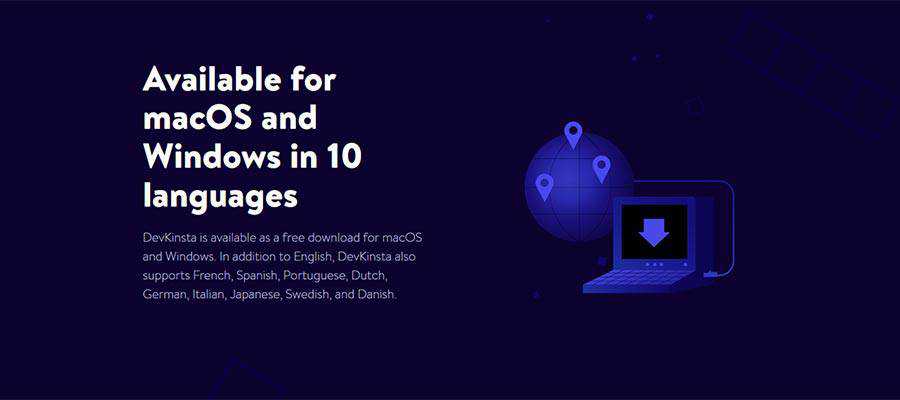
DevKinsta has all the tools you’ll need to build and test WordPress websites locally. To get started, [download a copy of the installer](https://kinsta.com/devkinsta/)
for your macOS or Windows computer.
*Please note: by downloading DevKinsta, you agree to Kinsta’s Terms of Service.
Setup is a breeze! Check out the video below for more information on installing and configuring DevKinsta.
### Single-Click WordPress Installations
Once you’ve installed DevKinsta, you can spin up a new WordPress install in no time at all. Create a single or multisite install that runs on Nginx and MariaDB. If you’re a Kinsta hosting customer, you can even import a live site directly onto your local machine.
### Local Database and Email Management Tools
The included local database and email management tools will help you hit the ground running. The included Adminer will allow you to edit your WordPress database, while an SMTP server helps you inspect and debug email.
### Support for PHP 7 and 8
Whether your project requires a specific PHP version or you need to test before upgrading, DevKinsta has you covered. You can choose from PHP 7.2 – 8.0. Need to make a quick change? Switch versions with just a few clicks. This makes it easy to know if your code is compatible.
### Works Seamlessly with MyKinsta
If you’re a Kinsta customer, you’ll love the added convenience DevKinsta provides. Download your live site directly to your machine or push your local site to Kinsta’s staging environment. There’s no need to mess with complicated export plugins. This will seriously streamline your workflow.
## Work Like a Pro with DevKinsta
Developing WordPress websites locally has been a popular practice among web professionals for years. But the difficulty in setting up a local server left a lot to be desired. DevKinsta has turned that narrative upside down by putting everything you need into a single, easy-to-install package.
Now, you can build websites, troubleshoot code and test out new software right on your local machine. This is not only better for developers, it’s also of great benefit to users as well. By squashing bugs before they get to your production website, you’re ensuring a better user experience.
And, while DevKinsta works seamlessly with Kinsta hosting accounts, you don’t need to be a Kinsta customer to take advantage. You can use DevKinsta regardless of where you site is hosted. Oh, and it’s completely free to use!
[Download your copy](https://kinsta.com/devkinsta/)
of DevKinsta today and enjoy all the benefits of a local WordPress development suite.
## Related Articles
- [How to Update WordPress Themes and Plugins with a ZIP File ](https://speckyboy.com/update-wordpress-themes-plugins-zip-file/) We take you through the fairly simple process of updating your WordPress website’s themes and plugins using only a ZIP file.
- [Using my.WordPress.net to Experiment With AI ](https://speckyboy.com/my-wordpress-net-experiment-ai/) Learn how to use my.WordPress.net as a safe AI sandbox. We show you how to install WordPress in the browser, add the AI Assistant app, connect ChatGPT, Claude, or Ollama, and run a few test prompts.
- [How to Build a WordPress Maintenance Service ](https://speckyboy.com/wordpress-maintenance-service/) Learn how to build a WordPress maintenance service for clients. Covers recurring revenue, backups, updates, security monitoring, performance checks, database cleanup, support, reports, and training.
- [5 Cool Things You Can Do with a Local Install of WordPress in 2026 ](https://speckyboy.com/cool-things-local-install-wordpress/) Running a copy of WordPress on your local machine is a fairly simple process (we have some helpful information on doing this). But you may…
- [How a Custom WordPress Plugin Can Help You Manage a Website ](https://speckyboy.com/custom-wordpress-plugin/) Whether you’re a WordPress user or build websites for a living, it’s likely you’ve relied on a few plugins along the way. These additional pieces…
## Related Topics
- [Learn WordPress](https://speckyboy.com/topic/learn-wordpress/)
- [WordPress Tutorials](https://speckyboy.com/topic/wordpress-tutorial/)
## Written by Eric Karkovack
Eric Karkovack is a web designer and WordPress expert with over two decades of experience. You can visit his business site [here](https://www.karks.com/)
. He recently started a writing service for WordPress products: [WP Product Writeup](https://wpproductwriteup.com/)
. He also has an opinion on just about every subject. You can follow his rants on Bluesky [@karks.com](https://bsky.app/profile/karks.com)
.
[Read more articles by Eric Karkovack](https://speckyboy.com/author/erickarkovack/)
---
Top
This page may contain affiliate links. At no extra cost to you, we may earn a commission from any purchase via the links on our site. You can [read our Disclosure Policy](https://speckyboy.com/affiliate-disclosure/)
at any time.