---
title: "How to Use WooCommerce Hooks to Customize Your Store"
id: "92416"
type: "post"
slug: "woocommerce-hooks"
published_at: "2026-03-12T09:37:08+00:00"
modified_at: "2026-06-14T09:47:18+00:00"
url: "https://speckyboy.com/woocommerce-hooks/"
markdown_url: "https://speckyboy.com/woocommerce-hooks.md"
excerpt: "WooCommerce hooks let developers customize store pages without editing plugin templates. Learn how actions and filters work, with examples for adding cart content and changing shop text."
taxonomy_category:
- "WordPress"
- "WordPress Developer"
- "WordPress eCommerce"
taxonomy_post_tag:
- "Code Snippet"
- "Learn WordPress"
- "WooCommerce"
- "WordPress Tutorials"
---
# How to Use WooCommerce Hooks to Customize Your Store
June 14, 2026
By Eric Karkovack
[WordPress](https://speckyboy.com/category/wordpress/)
/ [WordPress Developer](https://speckyboy.com/category/wordpress/wordpress-developer/)
/ [WordPress eCommerce](https://speckyboy.com/category/wordpress/wordpress-ecommerce/)
WooCommerce has proven itself to be a popular and formidable WordPress e-Commerce plugin. Its biggest strength is the fact that it can be customized in so many ways. There are a massive amount of free and paid [extensions](https://speckyboy.com/wordpress-free-plugin-woocommerce/)
that can do everything from integrating third-party services all the way to allowing for complex products and orders.
But there are other ways for developers to customize WooCommerce. Using the many available [Hooks](https://woocommerce.com/document/introduction-to-hooks-actions-and-filters/)
, you can both add new functionality or change how existing features work. Hooks, which are categorized as either [Actions](https://developer.wordpress.org/plugins/hooks/actions/)
or [Filters](https://developer.wordpress.org/plugins/hooks/filters/)
, are snippets of code that can be placed into your WordPress theme’s functions.php file or even added into a custom plugin. Virtually everything WooCommerce (or WordPress, for that matter) does can be tweaked.
Note that, while WooCommerce does allow you to create [custom templates](https://developer.woocommerce.com/docs/template-structure-overriding-templates-via-a-theme/)
for your site, it’s usually best to avoid this when possible. New versions of various templates are often released along with plugin updates.
That means any templates you have customized may have to be recreated using the latest versions. Therefore, it’s often much more efficient to use Hooks, as they can often help you reach the same desired results without the need to constantly update.
The following are some basic examples of hooks that will demonstrate just a tiny bit of what they’re capable of. Then we’ll share some excellent resources where you can find useful code snippets and advice.
## Example 1: Add Credit Card Logos to the WooCommerce Cart Page
```
// Add Credit Card Logos to WooCommerce Cart Page
add_action( 'woocommerce_after_cart_totals', 'credit_cards_available' );
function credit_cards_available() {
echo '
We accept VISA and MasterCard
';
}
```
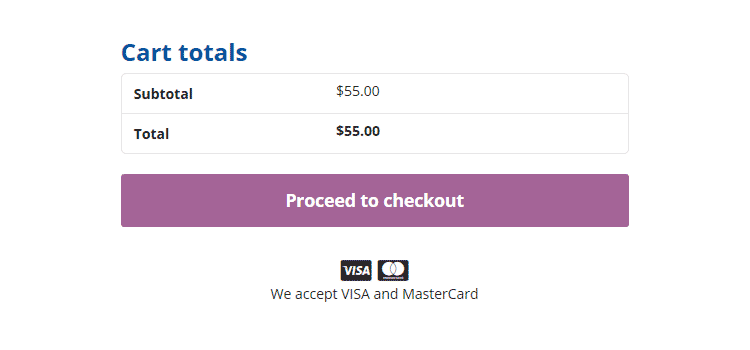
The action `'woocommerce_after_cart_totals'` provides a built-in way to easily add content under the Cart Totals area of the WooCommerce Cart page. In this case, we’re using [FontAwesome](https://fontawesome.com?from=io)
icons to display credit card logos.
Beneath the logos will be some text to give a verbal indication of which credit cards the store accepts. You could, of course, customize the contents and look to whatever suits your needs. Actions such as this are great for times when you just need to add content to a specific spot.
## Example 2: Change a Text String
```
// Change Shipping to Shipping and Handling
add_filter('gettext', 'translate_text');
add_filter('ngettext', 'translate_text');
function translate_text($translated) {
$translated = str_ireplace('Shipping', 'Shipping & Handling', $translated);
return $translated;
}
```
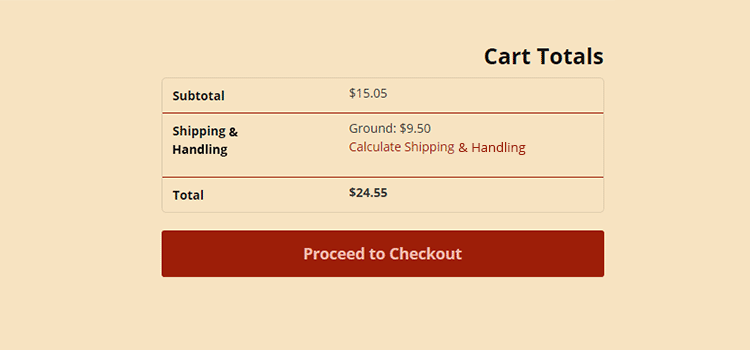
In this example, we’re looking to change any instance of the word ‘Shipping’ to instead say ‘Shipping & Handling’. The `'gettext'` and `'ngettext'` filters are used to make this happen. The $translated line contains both the text we want to replace (Shipping) and what we want to replace it with (Shipping & Handling). This can be used to change just about any text through your shop.
Just be careful as sometimes you may accidentally replace portions of longer, similar words. For example, swapping the word ‘Shop’ with ‘Order’ may also have an unintended effect on the word ‘Shopping’. That could result in the word being displayed as ‘Orderping’.
## WooCommerce Hook Resources
Now that we’ve had just a taste of how hooks can be used to customize WooCommerce, let’s check out some excellent resources for learning more. The sites below will help you discover which hooks are available and provide useful code snippets.
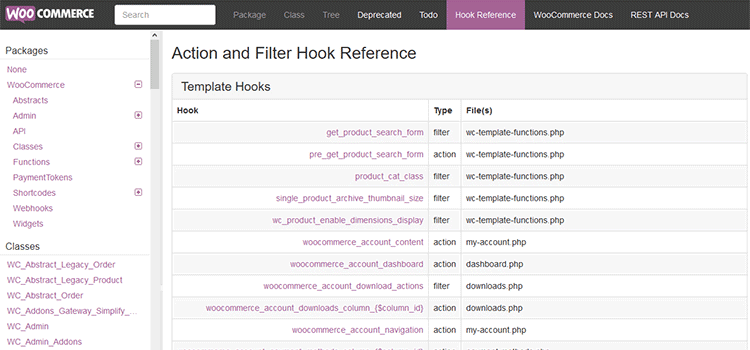
[WooCommerce Hook Reference](https://woocommerce.github.io/code-reference/hooks/hooks.html)
The official source, with a listing of every single hook available.
[Remi Corson](https://remicorson.com/)
Mr. Corson works for WooThemes and is an expert at customizing WooCommerce. His site includes lots of great code snippets and helpful advice.
**Super useful WooCommerce code snippets**
This collection of snippets tackles some common customizations.
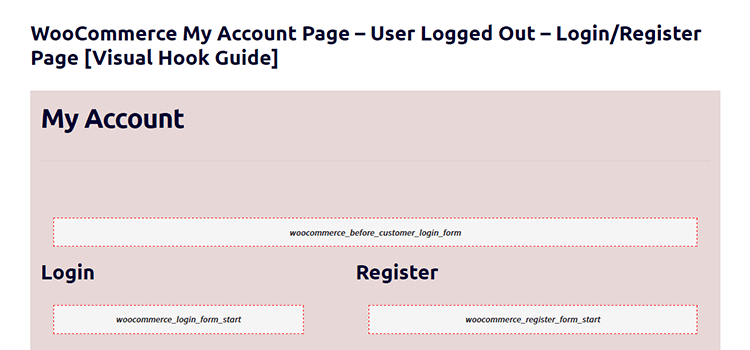
[Business Bloomer’s Visual Hook Series](https://www.businessbloomer.com/category/woocommerce-tips/visual-hook-series/)
Want to see exactly where a hook resides on a particular page? This visual resource is great for finding what goes where.
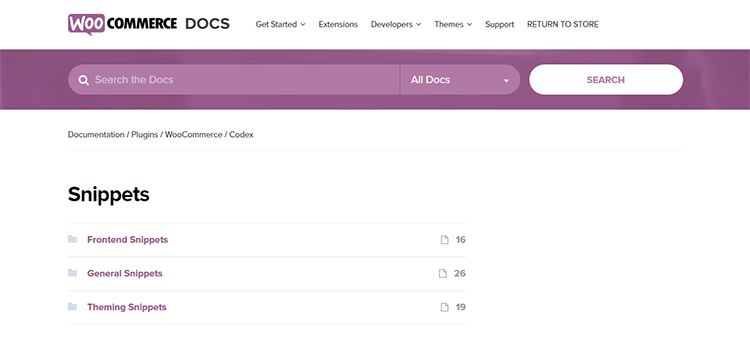
[WooCommerce Snippets](https://woocommerce.com/documentation/plugins/woocommerce/woocommerce-codex/snippets/)
60+ snippets you can use to customize Woo, straight from the official codex.
## Make Woo Work for You
Part of the beauty of WooCommerce is that there are any number of ways you can shape it to fit your exact needs. This separates it from many SaaS shopping carts out there that essentially are closed systems. But, as the saying goes, with that power comes great responsibility. It’s easy to inadvertently break something while making customizations.
If your store is already live and taking orders, it’s a good idea to try out hook customizations on a separate staging version of the site. Once you’ve got things working properly, you can move the changes over to the live version.
Once you’ve taken the proper precautions, have fun exploring the wide array of available hooks and create a WooCommerce site that sets you apart.
## Related Topics
- [Code Snippet](https://speckyboy.com/topic/code-snippet/)
- [Learn WordPress](https://speckyboy.com/topic/learn-wordpress/)
- [WooCommerce](https://speckyboy.com/topic/woocommerce/)
- [WordPress Tutorials](https://speckyboy.com/topic/wordpress-tutorial/)
## Written by Eric Karkovack
Eric Karkovack is a web designer and WordPress expert with over two decades of experience. You can visit his business site [here](https://www.karks.com/)
. He recently started a writing service for WordPress products: [WP Product Writeup](https://wpproductwriteup.com/)
. He also has an opinion on just about every subject. You can follow his rants on Bluesky [@karks.com](https://bsky.app/profile/karks.com)
.
[Read more articles by Eric Karkovack](https://speckyboy.com/author/erickarkovack/)
---
Top
This page may contain affiliate links. At no extra cost to you, we may earn a commission from any purchase via the links on our site. You can [read our Disclosure Policy](https://speckyboy.com/affiliate-disclosure/)
at any time.