
The Best Programming Text Editors for Windows, Mac and Linux

Seasoned programmers often eschew an Integrated Development Environment (IDE) in favor of a lightweight, barebones text editor. The reasons are obvious enough: text editors place little strain on system resources, are very versatile, and provide hardcore developers with the thrill of writing a program from scratch in a focused, bloat-free environment. For sheer simplicity and ease of use, nothing can beat a solid programming text editor.

The default Notepad app in Windows might be suffice for making to-do lists or jotting down ideas, it falls woefully short for development purposes. So, here is a list of the best programming text editors for Windows, Mac, and Linux:

Windows

1. Notepad++

Notepad++ has been the go-to choice since 2003 for Windows users who want to upgrade from the default Notepad to a more powerful, feature rich, yet lightweight text editor. It was one of the first Windows applications to support multiple tabs within the same window (a boon to all multitaskers — and coders usually are). It also includes a multi-item clipboard, which streamlines coding and increases efficiency.
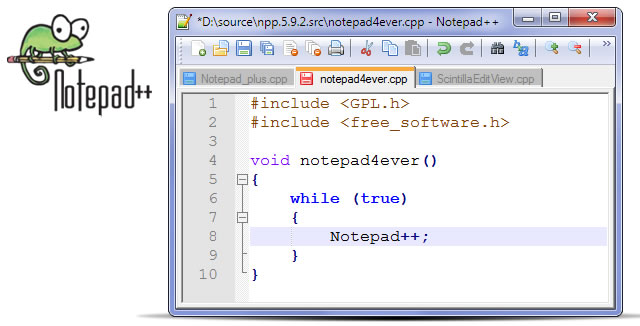
Notepad++ - Programming Text Editor

The list of programmer-specific features is long: it supports syntax highlighting and code collapsing. A built-in FTP browser makes uploading files onto your server effortless. With support for split-screen editing, file-compression, and auto-completion, there is nothing not to love about Notepad++. And since this text editor has been around since 2003 with a devoted developer community supporting it, there are now dozens of plugins that can extend its functionality beyond this already impressive base.

To round up the pros, Notepad++ is also free. While it may not be the best-looking text editor out there (which shouldn’t be a concern if your primary use is coding) or the most user-friendly, it is powerful, free, and offers the key features that all programmers need.

2. SublimeText

SublimeText picks up where Notepad++ leaves off. It is a gorgeously designed, powerful, feature-rich text editor built specifically for coding. Besides basic features such as syntax highlighting, code collapsing, etc., it also supports macros and snippets to automate coding and increase your efficiency. Whereas Notepad++ has a UI that can leave even experienced users scratching their heads, SublimeText uses a minimalistic UI with little to come between you and your code.
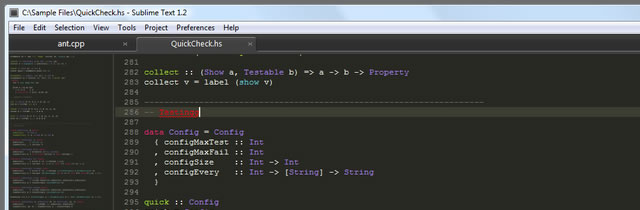
SublimeText - Programming Text Editor

The only downside of this text editor is its price: at $59, it isn’t cheap. You can download a copy for evaluation purposes, but you’ll have to shell out 59 dollars to use it beyond the evaluation period.

Besides Windows, SublimeText is also available for OS X and Linux.

3. UltraEdit

UltraEdit prioritizes ease of use and efficiency over any other feature, and the result is a userfriendly, feature-rich text editor that runs blazingly fast with ample support for programmers.
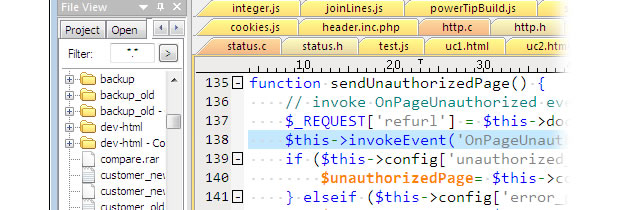
UltraEdit - Programming Text Editor

Built-in FTP support, file comparison, and automation through macros are just a few among its long list of features.

On the price front, a single license costs $59 — the same as the easier-on-the-eye SublimeText.

OS X

1. TextMate

TextMate has become the de-facto choice of programmers on the Mac platform over the past couple of years, courtesy of its lengthy list of developer-oriented features. Auto-indent, advanced search-and-replace, foldable code blocks, column selection, clipboard history, visual bookmarks, and support for recordable macros are just some of its features.
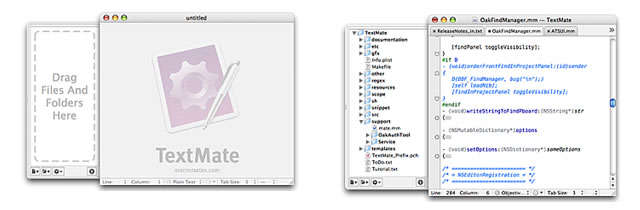
TextMate - Programming Text Editor

The end result is a product bred thoroughly in the Apple spirit of simplicity that, nevertheless, holds the heart of a true programming text editor.

Price: $58.

Linux

1. Emacs

Of the three major computing platforms (Windows, OS X, Linux), Linux boasts of the largest selection of powerful text editors designed specifically to fit the needs of programmers (who also happen to form the platform’s largest user base). Emacs is programming text-editor royalty — an extremely powerful (albeit complicated) piece of software that has been ported to virtually every platform imaginable (including Windows, OS X, BeOS, etc.). Like all Linux software, Emacs too is free and can be downloaded in multiple flavors, of which GNU Emacs happens to be the most popular.
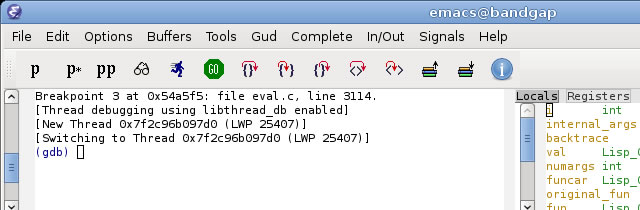
Emacs - Programming Text Editor

In terms of features, Emacs is heavily inclined towards hard-core programming with extensive support for automation through powerful macros. A content-sensitive editing module, a large library of extensions, and a fully customizable interface round up the list of impressive features.

2. Kate

Kate can almost come across as Emacs-lite. It’s UI is very easy to use (compared to the almost draconian Emacs) and the text editor is extremely easy to get started with. Hidden beneath the user-friendly interface, though, is a very powerful text editor that can make a programmer smile in delight.
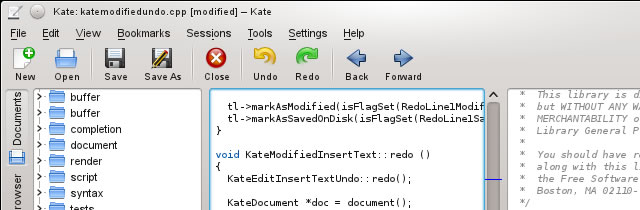
Kate - Programming Text Editor

It has support for all the features you’d expect: syntax highlighting, macros, code collapsing, code automation with argument hints, session support, etc. and then some more.

Conclusion

There are dozens of text editors on the market, and this list barely scratches past the surface of this niche industry. Finding a programming text editor that fits your needs is a matter of trying out the different editors and poking around for a few hours until you get a good feel of the product. Programmers tend to be creatures of habit; once you get used to a particular text editor, you wouldn’t want to use anything else.

You might also like…

40 Recently Released jQuery Plugins →
25 jQuery Plugins to help with Responsive Layouts →
20 jQuery Image and Multimedia Gallery Plugins →
50 jQuery Plugins for Form Functionality, Validation, Security and Customisation →
15 CSS3 Navigation and Menu Tutorials and Techniques →
20 CSS3 Tutorials and Techniques for Creating Buttons →
24 CSS (in some cases with jQuery) Navigation and Menu Tutorials →
22 CSS Button Styling Tutorials and Techniques →
50 Fundamental jQuery Controls, Components and Plugins →

  • http://www.vmdoh.com Brian Altenhofel

    Where’s vim?

    • carlinscuderi

      Exactly this… Vim is awesome. Sad to see it’s not here.

  • Chriz!

    don’t forget TextWrangler for OSX. Because it’s free and has all you need!

  • http://twitter.com/johnsonch Chris Johnson

    What about VIM?  It works on every system….

  • http://www.facebook.com/profile.php?id=726140583 facebook-726140583

    Something worth noting: in Ultraedit you can create and record macros, create scripts in Javascript, have different color for each file type, automatic backup of the files you edit, and many other features that makes it, to my opinion, the best text-editor you can find on Windows.

  • Vd

    I know, here missing: http://www.pspad.com/ -

  • iamntz

    Few of things about Sublime:
    - current (beta) version is 2. AFAIK v1 is not maintained anymore and you can’t officially download. Even so, the beta version is very stable.
    - the „evaluation version” is unlimited. If a popup won’t mind every now and then, you can use it forever.
    - bundles, snippets & themes are compatible with textmate (most of them at least)
    - the price is the same as textmate, uedit etc. The main difference is that you can use the same license on your mac, on your pc and on your linux box. So the price is not that much now, no? :)

  • Esutoraiki

    Bluefish -> multi-platform application that runs on most desktop operating systems including Linux, FreeBSD, MacOS-X, Windows, OpenBSD and Solari

    http://bluefish.openoffice.nl/index.html

  • http://twitter.com/zeorin Xandor Schiefer

    I would also advise advanced users to check out Vim, it’s on a par with Emacs, although taking a very different approach. Very extensible, pretty much any feature you could dream of (and many you haven’t) are available.

  • http://www.paulund.co.uk/ Paul

    It’s worth noting that sublime text can also be used on Mac and Linux. I’ve just moved from using Aptana to sublime text so far so good.

  • Piethfbos

    When using a title like this (the best programming text editors for windows mac and linux) it is completely beyond me why a. you would only list one option for Mac and b.why that one option should be textmate and not coda?

  • Someone

    Are you purposely trying to start a flame war by excluding vim ?

  • Sufyan

    For Linux, I think Vim and Bluefish deserve a mention. 
    http://vim.org 
    http://bluefish.openoffice.nl/index.html 

  • Guest

     There is another one for Windowns – Edit+

  • http://twitter.com/Th3_Night Alvaro Carneiro

    I really recommend to use Komodo edit 7 :). It’s really good, easy to create projects and manage the files that you have in, I use it on my linux and my windows. And you will love it if you install a theme from http://www.kolormodo.com/

  • http://nizzledev.com/ Ricardo Guillen

    Sublime Text for Windows? Sublime Text 2 is way better under OS X

  • Bol

    Keith Bryant does not seem to know much programming as it has not mentioned NetBeans

    • meg

      Please note that NetBeans is IDE and not just text-editor.

  • http://www.globi.ro/ Destinatii

    I go with Notepad++. The author mentioned there are a lot to cover and these are only a few of them. IMHO Notepad++ is the most used editor for Windows, as is Textmate for Mac. So there.

  • http://www.forixwebdesign.com/ Chris Devlin

    For windows i go with notepad ++ editor which has nice features and it is comfortable for all programmers to use.

  • Petros

    Personally I think for Mac Coda is hands down the best IDE I’ve ever used!

  • http://charlieasemota.net/ Charlie Asemota

    Sublime text is fantastic:) A lot much lighter than Dreamweaver

  • Steve

    I agree with 
    Petros Coda for mac – simplicity and is a pleasure to work with rather than making you think where something is

  • http://twitter.com/_mattbailey Matt Bailey

    I know this is kind of predictable (coming from a designer), but I personally love Coda2. Espresso (OS X) is also really good. I sometimes use TextMate as well. I’ve tried Sublime text, but haven’t given it enough time to comment.

  • http://twitter.com/benmarte Benjamin Marte

    It’s worth mentioning that if you purchase Sublime Text2 your license is per user not per machine. So you can install it on as many computers you want, be it a OSX, Linux or Windows computer.

    It’s simply the best editor and gives you the same experience regardless of OS so that also is a plus in it’s favor.

  • godidier

    Vim is missing here !

  • Gabriel Aszalos

    I believe inType would be worth mentioning in here, it is an extremely powerful editor. Much like TextMate on Mac. URL 
    http://inotai.com/intype/

  • TxusDiFellatio

    I use Kate :D

  • guest

    It could be really awesome if the Notepad++ developers could make native for OS X and Linux (I know that it uses Windows components, but it would be really nice).

    I have been use it since 2004, and always has been the best!

  • http://twitter.com/IsmiKin IsmiKin Thorfinn Ors

    … and NetBeans?

  • http://seasidetesting.com/ Stephan

    As other I was surprised not to find vim at least mentioned – used by many, available for Windows too.
    As for Mac: Chocolat is a nice one as well: http://chocolatapp.com/

  • http://cs-puchatek.pl/ Mlody

    PSPad editor is also a good program for any language coding. :)

  • http://followthegeeks.com Mohamed Semlali

    Sublime Text is available for Linux. You also forgot VIM, Gedit, BlueFish, Aptana…

  • learninghtml

    Sublime Text 2 it’s just the best text editor for Windows! Great program really