

Tips & Resources for WordPress Designers

Designing for WordPress involves more than just themes. These articles share collections of tools, design tips, layout ideas, and UX suggestions for building beautiful and functional WordPress websites.

Whether you’re designing with Figma, using block themes, or customizing layouts, these articles focus on design decisions that will work well in WordPress.

View the Best WordPress Hosting of 2026

How to Make Content-Heavy WordPress Sites More User-Friendly

How to Make Content-Heavy WordPress Sites More User-Friendly

There are a number of options for improving content-heavy WordPress sites. We share some techniques and link to plugins that will help get the job done.

Tips for Building Online Courses with WordPress

Tips for Building Online Courses with WordPress

Check out our tips for building online courses with WordPress. We’ll provide you with a plethora of things to consider from the very start.

What Web Designers and Their Clients Need to Know About SEO
What Web Designers and Their Clients Need to Know About SEO

The following is a Q&A with Yoast content manager Edwin Toonen, where we dive into what you and your clients need to know about SEO.

The Quest for a Seamless WordPress Experience

The Quest for a Seamless WordPress Experience

I work with WordPress on a daily basis. Whether it’s design, theme development, customization or performing maintenance – the open-source CMS makes up the vast majority of my workload. Over…

Simple WordPress Snippets to Improve Your Secondary Navigation

Simple WordPress Snippets to Improve Your Secondary Navigation

Using these WordPress snippets can further help users get where they need to go and discover content they may have otherwise missed.

Controlling WordPress Through the Command Line with WP-CLI

Controlling WordPress Through the Command Line with WP-CLI

For anyone looking for more control and the ability to carry out complex WordPress tasks, learning how to use WP-CLI could be just what you need.

Tips for Maintaining a Legacy WordPress Website

Tips for Maintaining a Legacy WordPress Website

Maintaining a legacy WordPress website takes a keen eye and attention to detail. Here are some tips to make sure your old site runs as well as it can.

Tips for Improving the Core Web Vitals of Your WordPress Website
Tips for Improving the Core Web Vitals of Your WordPress Website

Check out our multi-pronged approach to boosting the Core Web Vitals score of your WordPress-powered website.

Common Causes of a Slow-Loading WordPress Site and How to Fix Them
Common Causes of a Slow-Loading WordPress Site and How to Fix Them

Troubleshooting slow page loads on your WordPress website? Here are a few simple tips to help identify and address performance issues.

Ideas for Making the WordPress Back End More User Friendly
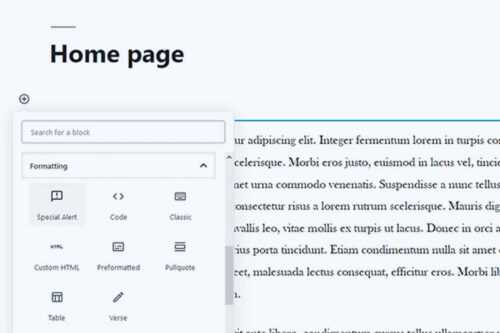
Ideas for Making the WordPress Back End More User Friendly

Introducing clients to the WordPress dashboard can be difficult, therefore, we need to improve the experience. Here are a few simple ways you can do that.

How To Create Custom Blocks for Gutenberg with Block Lab

How To Create Custom Blocks for Gutenberg with Block Lab

Custom WordPress blocks do not always require JavaScript. See how Block Lab uses a visual setup process, custom fields, and simple PHP templates to build reusable editor blocks.

10 Free Resources to Supercharge WordPress Theme Development

10 Free Resources to Supercharge WordPress Theme Development