Guides & Tools for WordPress Developers

WordPress developers work with themes, plugins, custom code, and the block editor. These articles share tutorials, tools, and ideas for building better WordPress websites.

Topics range from PHP and JavaScript to REST APIs and choosing the best hosting for WordPress developers. Great for both new developers and experienced coders looking to stay sharp.

Tips for Building a Performant WordPress Website

Tips for Building a Performant WordPress Website

Want a faster WordPress site? Learn how to boost performance with better hosting, lightweight themes, optimized images, and smart caching strategies.

Use AI to Enhance – Not Replace – Your WordPress Expertise

Use AI to Enhance – Not Replace – Your WordPress Expertise

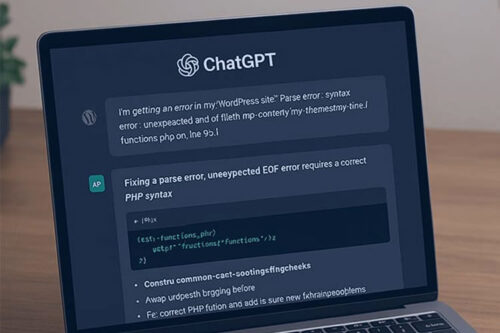
AI can speed up WordPress development, but overreliance can hurt your workflow. Learn how to use AI tools effectively without losing control of your code.

How To Protect Media Files Uploaded to WordPress
How To Protect Media Files Uploaded to WordPress

WordPress uploads are public by default, so your files can be hotlinked or pulled into search results. This article shows server-level hotlink blocking, noindex headers, and ways to protect attachment pages.

Learn How to Display WordPress Custom Field Data With Blocks

Learn How to Display WordPress Custom Field Data With Blocks

Learn how to use the WordPress Block Bindings API to display custom field data—no plugin required. A simple walkthrough with real examples.

How to Build a Custom WordPress Block With Telex

How to Build a Custom WordPress Block With Telex

Learn how Telex from Automattic helps you build custom WordPress blocks with plain language prompts, test them in Playground, and export them as installable plugins.

How to Use Block Template Parts in a Classic WordPress Theme

How to Use Block Template Parts in a Classic WordPress Theme

Classic WordPress themes can use block template parts without switching to a block theme. Learn how to add theme support, build a part in the Block Editor, save the markup, and call it from a PHP template.

Why a Modular Approach Is Better for WordPress Development
Why a Modular Approach Is Better for WordPress Development

A modular approach to WordPress development offers a new way to build and manage projects. We’ll cover what it is, how it works, and how it can improve your workflow.

How to Add Conditional Logic to Your WordPress Theme

How to Add Conditional Logic to Your WordPress Theme

We take a look at a few of the more commonly used Conditional Tags and how you might implement them into your own WordPress site.

How to Use ChatGPT to Export Data from a WordPress Database

How to Use ChatGPT to Export Data from a WordPress Database

Learn how ChatGPT can help extract data from multiple WordPress plugins for quicker and easier data handling.

How to Use AI to Build a WordPress Related Posts Plugin

How to Use AI to Build a WordPress Related Posts Plugin

Learn how to create a simple related posts plugin for WordPress to demonstrate AI’s potential. It’s not going to rival commercial solutions, but it delivers a functional base that can be improved as needed.

How to Build a Successful WordPress Membership Site

How to Build a Successful WordPress Membership Site

The idea of a membership website is quite broad. Really, it can be anything from an organization that charges members for access to content or a simple community bulletin board….

How to Run a Stable, Secure and Successful WooCommerce Website

How to Run a Stable, Secure and Successful WooCommerce Website