
Guides & Tools for WordPress Developers

WordPress developers work with themes, plugins, custom code, and the block editor. These articles share tutorials, tools, and ideas for building better WordPress websites.

Topics range from PHP and JavaScript to REST APIs and choosing the best hosting for WordPress developers. Great for both new developers and experienced coders looking to stay sharp.

Tips for Improving the Core Web Vitals of Your WordPress Website

Tips for Improving the Core Web Vitals of Your WordPress Website

Check out our multi-pronged approach to boosting the Core Web Vitals score of your WordPress-powered website.

What I’ve Learned About WordPress Maintenance
What I’ve Learned About WordPress Maintenance

For the past decade, much of my design and development work has been centered around WordPress. I’ve spent a good bit of time both building and maintaining websites that utilize…

How to Deal With Outdated WordPress Plugins
How to Deal With Outdated WordPress Plugins

WordPress has been around for nearly a decade and a half. While that’s a pretty good run in terms of longevity, it also means that there are probably some websites…

What AI Can Teach Web Developers About WordPress

What AI Can Teach Web Developers About WordPress

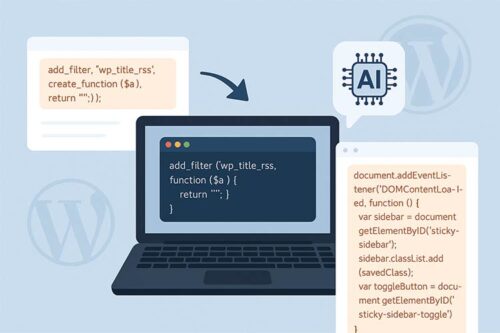
AI can do more than write code. We show you how to use AI to explain WordPress snippets, compare different ways to build a feature, and review code for security, performance, and maintainability.

Common Causes of a Slow-Loading WordPress Site and How to Fix Them
Common Causes of a Slow-Loading WordPress Site and How to Fix Them

Troubleshooting slow page loads on your WordPress website? Here are a few simple tips to help identify and address performance issues.

Ideas for Making the WordPress Back End More User Friendly
Ideas for Making the WordPress Back End More User Friendly

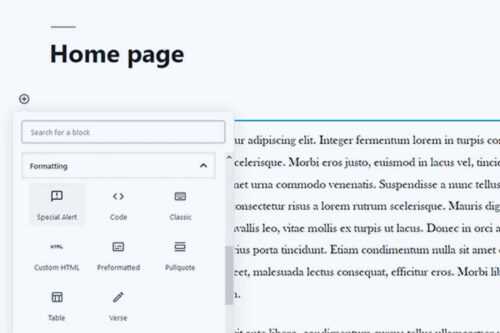
Introducing clients to the WordPress dashboard can be difficult, therefore, we need to improve the experience. Here are a few simple ways you can do that.

How To Create Custom Blocks for Gutenberg with Block Lab
How To Create Custom Blocks for Gutenberg with Block Lab

Custom WordPress blocks do not always require JavaScript. See how Block Lab uses a visual setup process, custom fields, and simple PHP templates to build reusable editor blocks.

How to Refactor Your Outdated WordPress Code With AI

How to Refactor Your Outdated WordPress Code With AI

Part of bringing your older WordPress site up to modern standards means refactoring outdated code. We show you how to use AI tools to help identify and fix any issues.

How to Troubleshoot & Debug WordPress Code With AI

How to Troubleshoot & Debug WordPress Code With AI

ChatGPT will save you hours, not to mention a whole lot of stress, debugging and troubleshooting WordPress code. Learn a few tricks for getting the best results with AI.

How to Build WordPress Websites That Better Respect User Privacy

How to Build WordPress Websites That Better Respect User Privacy

Building a privacy minded WordPress site means knowing what each tool collects. We cover realistic expectations, plugin and theme checks, local font hosting, privacy friendly embeds, and when to involve legal help.

How to Use Remote Data Blocks to Display Google Sheets Data in WordPress

How to Use Remote Data Blocks to Display Google Sheets Data in WordPress

Remote Data Blocks can pull data from services like Google Sheets and display it in WordPress blocks. This tutorial tests the setup, connects a Sheet using a Google Cloud service account, and then formats the output with a block pattern.

How WordPress Agencies Can Improve Site Building Efficiency

How WordPress Agencies Can Improve Site Building Efficiency