
What is the Preferred Operating Systems of Designers?

The ever-changing culture of web design has grown into a wild array of sub-standards. Over 20 years now designers from all over the world have contributed their brilliant ideas to the World Wide Web. Software is often an afterthought from the consumer’s end, but when you’re at the front lines this topic is very important.

In the realm of Operating Systems it breaks down into 3 core groups: Windows, Mac OS X, and various Linux packages. For the sake of this article we’ll be focusing on Windows and Mac implementations. That’s not to say Linux (especially Ubuntu) can’t be used for graphics and web design – but it’s certainly not within the majority of market shares as its two rivals.

Easy User Experience

Both Microsoft and Apple have released astounding advancements into their latest Operating Systems. Windows 7 boasts an incredible new taskbar and updates on many of the UI elements where Vista failed miserably. Similarly Mac OS X Snow Leopard has exposed Apple’s soft creative underbelly.

With this latest version we see client support for tasks such as exposé. This feature is a refined view control offering thumbnails for photos and video files within explorer. Also some great additions to system processes to increase bootup and shut-down speeds!

As both companies have so much to offer their userbase you may understand how deep this rivalry goes. When polling from various forums about personal choice in Operating System the results are, for the most part, unpredictable. Everything comes down to personal choice.
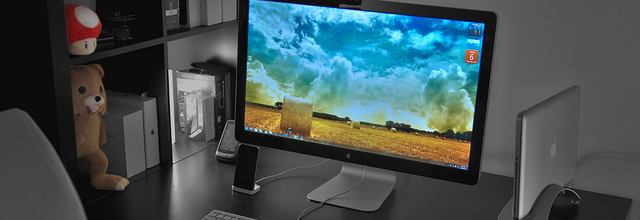
Generally if a digital artist grew up using Windows XP he may find Windows 7 a more comfortable transition. This isn’t always the case since many artists break out into OS X and find the controls much more suitable.

Tasks and Required Software

When examining into such a dualism we must look at the potential work environment, even past the Operating System. What software is going to be required to get your work done?

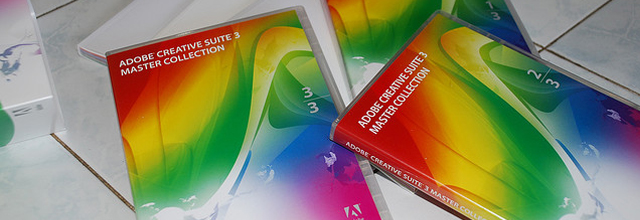
Mac OS X and Windows 7 do support most of the same core software suites. Although there are plenty of differences between just for Mac and PC only software, the digital age is versatile. For designers and illustrators the Adobe Creative Suite will prove the most useful item in their toolbox. Software is available for both OS choices and includes such popular items as Adobe Photoshop, Fireworks, Illustrator, Flash, and After Effects.
For Windows there is an alternative application very popular among open-sourcers. GIMP (GNU Image Manipulation Program) has been around for years and runs many of the similiar features as Photoshop.

The work area looks much different and you also don’t have access to the advanced filters from Adobe Labs. However for those on a tight budget GIMP comes with no price tag! It’s perfect for creating small graphics and resizing photos for the web.

The Working Web Developer

Web Design incorporates many aspects behind the curtain. Digital art, icons, graphics, and layout wireframes are all very important aspects. But without any HTML/CSS code you won’t be getting anything live online!
Along with graphics suites Adobe also offers a web developers software IDE(Integrated Development Environment) titled Dreamweaver. You can work on any plaintext file such as HTML, PHP, SQL, CSS, JavaScript, or anything you may think of! Dreamweaver comes bundled with a host of additional features such as page templates, which allow for easy duplication of pages and content.

Development over both Windows and Mac OS X offer individual packages for Adobe Dreamweaver. The program runs exactly the same in both environments and offers a very stable solution for programming. If you don’t have money to shell out luckily there are plenty of alternatives.

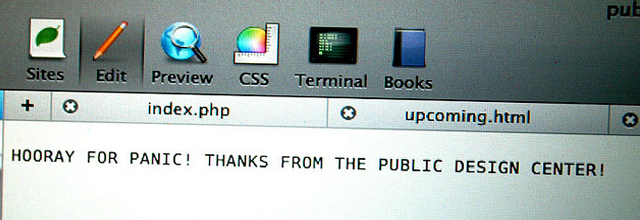
Having previously developed over Mac OS X many web designers I’ve asked have concurred Panic’s Coda is by far the best option for text editing. It includes code highlighting for the most popular languages and offers self-help documentation within the program!
If you’re developing for iOS mobile apps XCode 4 is a much better solution. This has native support for Objective-C and the Cocoa library which is included for all apps at runtime. Apple provides exceptional documentation on the language so it’s brutally simple to comprehend and build something great.

All Windows Development

If you’re looking to the simpler side Windows has tons of freeware solutions. All the way from XP to Win7 there are tens of hundreds of open-source projects for code junkies. Prominently Notepad++ is widely spoken of from frontend and backend developers alike.
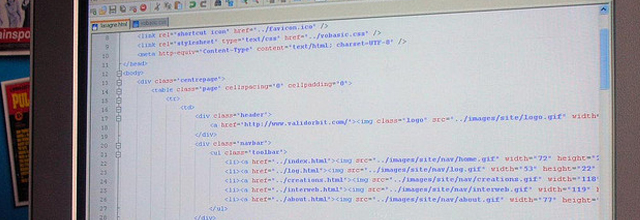
It’s a free download and comes with some great features you don’t find in other applications. Tabbed browsing for editing multiple documents within a single window, also a library of 50+ languages for syntax highlighting.

If you’re looking for professional options a bit cheaper than Dreamweaver I highly recommend phpDesigner 7 for Windows. Don’t let the name fool you – although the package specializes in PHP it offers code highlighting for all web documents including HTML and JavaScript.

What’s so great about phpDesigner is how integrated the software becomes. You are able to run a local server directly from the application window for testing PHP code. The IDE will also mark read errors with a red “X” at the end of a line of code. This feature is not found in anywhere Dreamweaver and has saved me hours of tirelessly searching and fixing bugs in my programs.

Conclusion

The investigation of digital Operating Systems could also include a comparison of features such as document processing, alternative web browsers, and FTP software. However these are all minor accessories. Truly the choice is yours and comes down to personal opinion and comfort.

If you are more satisfied working on a Macintosh then absolutely stick with it! Generally graphics designers and video editors enjoy the simple controls allowed within the Mac Unix-like OS. At the other end of the spectrum I have found many developers enjoy the freedoms and administrative control in Windows, allowing for easy file manipulation and installation of local web server(s) and databases.

What do you think?

If you’d like to research a bit more check out our list of free Mac apps for graphics/web designers to see if anything jumps out at you. Also our small collection of free CSS editors is worth a glance for frontend devs on both Mac OS X and PC.

Author: (97 Posts)

Jake Rocheleau is a passionate web designer and social media entrepreneur. He is frequently researching the latest trends in digital design and new-age Internet ideas. He's also an advocate for the social media revolution - follow his updates on Twitter @jakerocheleau.

  • Michael Gunner

    I’ve never understood the point in Dreamweaver. Yes, you can see your website as you work in that, but dual screens, Notepad++ and a browser will achieve exactly the same.

    Additionally, Notepad++ encourages clean code, and encourages you to have the ability to code from scratch, which in the long run is always going to be best practise.

    And of course, it’s free. I just cannot think of a good reason to fork out for Dreamweaver when it offers no discernible advantage.

    • http://izulchaniago.com IzC

      Notepad++ [+] Explorer Plugin :)

  • http://www.smashingeeks.com SmashinGeeks

    Mac can be the most preferred OS by the Designers. Most designers use Mac only. And after the Launch of its Lion version, it is going to rock.

    • http://www.kooldotshosting.com/ TheKoolDots

      From one MacDaddy to another,yeah, I hear that!

  • Me

    Umm, did you answer the question posed by your article’s question? Umm… nope! Is this a worthless article not worthy of even being published? Umm… yep! I’m sorry but this post is a complete waste of space and my time, expecting to click through and find something useful and/or interesting.

    • http://www.executiveprinters.com Nuts&Bolts

      DITTO. Article did not answer the question. A question that is too vague and too broad to answer with a simple A or B option. I use both. It all depends on the task at hand and which one (mac or pc) gets it done quicker or is closer to where I’m sitting at the moment. It’s all software and the box it runs on does not matter. Both are capable of blazing speed.

      What came first chicken or egg?
      What is the meaning of life?

  • http://www.wiredcanvas.com Alice

    In my experience, designers prefer Mac OSX, whilst developers prefer Windows (or Unix)… or all three! I am a visual designer and don’t think I could do what I do as efficiently on a PC.

  • http://digcms.com John

    Great article. I am using the windows for designing and I am very comfortable with that.

  • Bad Bunny

    In this day and age, only skill and talent matter… the machine has very little impact on the finished product.

  • http://www.skinyourscreen.com/site Rich Kulesus

    Great article! Worth mentioning that GIMP works under Windows, Linux, and Mac OS X, all natively. For vector work (a la Illustrator) InkScape comes in pretty handy, and also works for Windows, Linux, and Mac OS X.

    Thanks for the article!

  • http://www.luiwallentin.com Lui Wallentin

    Just for the record:
    GIMP also runs on Mac. It just requires X11 to be installed

  • http://craigk.org Craig

    @Alice – Can you explain what you think is less efficient under a Windows environment for design work?

    Personally I use Windows 7 for development, but I don’t see how the OS has much affect on design, it comes more down to the software in use.

    • Alice

      Firstly I would say that the interface (in particular, Finder) is more user-friendly when you’re dealing with images and visuals – likewise I haven’t found a program like Bridge on Mac OSX that runs as smoothly on either OS. Also I would say that, in my experience, Apple hardware (that obviously ships with Mac OSX) is much simpler to set up and use for design work straight out of the box.

      I’m not saying that you can’t do visual design as well on a PC, I’m just saying that I personally find it much simpler, cleaner and smoother on a Mac.

  • http://www.kooldotshosting.com/ TheKoolDots

    Mac, and Mac, more Mac, is the way to go. Just using one is an inspiration to get going when the thrill of the challenge begins to diminish.

  • http://www.wpexplorer.com AJ Clarke

    Windows all the way. I like the ability to have a window open with Call of Duty on one monitor and a window open on the other monitor for Dreamweaver :) You need to balance work and play.

    • Bad Bunny

      Amen bro… and watch Netflix on the third monitor.

  • amish

    You left out a few important issues in this debate:
    * Software – while Windows usually has a major advantage in available software titles, the Mac has the advantage when it comes to design software, often because the software is developed natively and ported to Windows; the Mac still has an edge in the seamless transfer of data between two applications also
    * Hardware – here the Mac pales in comparison to the availability and ease of hardware upgrades/flexibility for the Windows machines

    There is also the issue of industry snobbery to consider; I’m often embarrassed by the elitist attitudes of “experts” in the design industry who don’t seem to understand that the two systems do identical jobs in slightly different ways.

    • http://www.codebrewery.ch daenuprobst

      that was before Apple pissed-off adobe… We’ll see what the future of design software for osx is…

  • Matt

    Generally after articles like this the comments degenerate into Apple fanboys vs. Microsoft fanboys with the occasional Linux fanboy chiming in and not much is accomplished other than some verbal chest pounding and posturing.

    Personally I am platform agnostic. I can do my design work equally well on any platform provided the software required is supported on said platform.

    Its the software tools that are important NOT necessarily the OS.

    For most people doing graphic/web design this means using Adobe products which are practically identical on MacOS and Windows. Obviously there are alternatives that will run on any of the three platforms I’ve mentioned.

    If one is going to judge between Operating Systems you must become familiar with each. Then and only then can you give each one a fair shake. Like so many things this is a fairly subjective affair.

  • Jessi

    I have a brand new mac laptop and brand new 64bit pc.

    To tell you the truth – I’m on the PC way more. I have hobby specific software that only works on a .
    PC (cars, aquariums, games). I’m also a Web Developer / Designer.

    To be honest. The mac looks really pretty sitting on the coffee table.

  • http://ahermosilla.com Andres Hermosilla

    Of note, Photoshop/Illustrator/Maya all are more stable on the Windows platform.

    Mac vs PC there are comparable options. I design/develop and can’t justify spending more for an identical platform. Windows can do anything OSX can do for less $.

    • http://www.tehkseven.net Paul

      That’s like saying a ford can do anything a Lamborghini can, for less $. While that’s true, I know what car I’d rather own and which experience I’d prefer.

      • BillyBob

        More like a BMW vs a Corvette. Price to price they can be the same but the Vette will win. You spec out a M3 vs a Vette the M3 will costs more but performance isn’t really better.

    • http://www.codebrewery.ch daenuprobst

      Well… Windows is an OS.. whilst OSX is Mac FIrmware … :-)

  • Danny

    As others have said, you haven’t answered the original question posed in the title of this article. Wasted my time reading it.

  • http://gundarsthedesigner.com/ Gundars

    I work on WIndows7 mainly, OSX rarely and Linux in emergencies. Cheap way.

  • http://www.wpsecurity.com D.K. @ Wordpress Security

    We an all-PC shop that focuses on WordPress security however, we’re buying a Mac to make it easier to work with creative/designer clients on PSD development projects.

    There have been a couple of instances where it would’ve been infinitely easier to just have a Mac in-house. None of us have worked on Macs since taking courses at NYU ten years ago, so this should be interesting.

  • Jennifer Keller

    I work on a Mac by day as a package designer and freelance and work on a 2nd bachelor’s in web design and interactive media at night on a PC. Both work great!

    I prefer the flexibility of software and hardware on the PC, but somehow I can remember my keyboard shortcuts better on the Mac.

  • http://ialreadydontlikeyou.tumblr.com Alex

    I see this argument all the time. Trust me, it really comes down to personal preference. Anyone who says different is suffering from brand name fandom. I’ve worked on both PCs and OSX side by side for years. I get the same job done on both. Because I grew up using pc, I’m naturally much more comfortable with the gui and display compared to osx, just like @Alice who apparently is more efficient at OSX.

    Another thing I want to address, I am a designer/art director who uses a PC in my home office. Why is that so bizarre for people to understand? I don’t like being labeled or boxed in as less creative for not owning a mac.

    So stop with the generalizations of “developers are pc”, “designers are mac”. People are a little more complicated than that. If people think they need a mac to look like a legitimate designer/creative, then I think that’s a bigger issue.

    Trust me, your creative director or client won’t care if you made that thing on a mac, pc, linux, as long as it’s good design.

  • http://www.codebrewery.ch daenuprobst

    Well… No Visual Studio – No fun. I think it would be the best thing for Microsoft and the world in general, if they would stop providing the .Net Framework and VS for Windows only (yeah I know it’s their OS). However they could (finally) kill of Java, Objective-C and all the likes of mislead C++ successors. Mono is the way to go, but as I said, it should be done by Microsoft. The end-user could then do whatever he or she wants.. be a linux-hippie or a mac-hipster.. the dev’s wouldn’t have do give a shit.

    This is a dev’s view …

  • http://www.codebrewery.ch daenuprobst

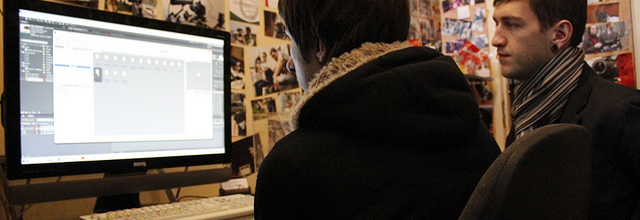
    Oh yeah… WTF is Paedobear doing in the second picture?! :-D

  • Jason

    I definitely prefer Windows 7 over Mac. I used to work on a Mac, but after getting to learn Windows 7 and all the cool shortcuts and everything… I actually find Windows 7 MUCH more efficient. I get work done like 10x faster on a PC than on a Mac. Also there are lots of cost benefits when it comes to PCs, I can get a REALLY powerful machine + beautiful monitors and hardware + software at a much cheaper rate than it would for a Mac.

    I find that most designers just jump on what everyone else is using, rather than taking the time to learn to experience all the possibilities of what works best for them.

    All in all, it depends on the individual.. so it’s good that there is a choice of systems out there, but people need to take the time to learn and experience both before judging. :)

  • Pingback: 设计者更喜欢什么操作系统 | laura's site

  • Anonymous

    what about for beginner video editors and alike?  @jakerocheleau

  • http://www.facebook.com/profile.php?id=1460710977 Abhishek Prasad

    This is really Important to understand which OS is supporting  more in your work to fasten your productivity.