
Artificial Intelligence (AI) continues to grow as a web development tool. We’re using the technology to write and debug code, perform complex tasks, and interact with users. We’ve discussed a lot of these use cases here at Speckyboy.
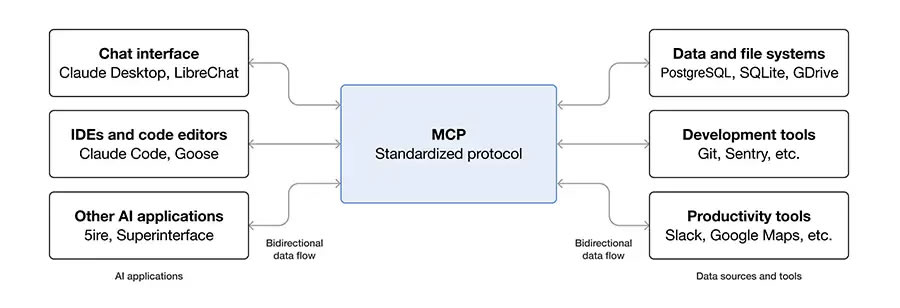
However, we haven’t talked about the behind-the-scenes tool that powers AI integrations. MCP (Model Context Protocol) is an open-source protocol that connects AI models to external applications or data sources.
In theory, MCP can sit between AI and any tool you can imagine. One real-world example: connecting Microsoft’s Copilot with your Excel spreadsheet. In this scenario, you can ask Copilot to analyze your data and produce a report.
The same principles apply to your WordPress website. Plugin developers can utilize this technology to incorporate AI-powered features. From there, you might use that connection to generate blog post excerpts or identify a set of related products on your WooCommerce shop. That’s only the beginning of what’s possible.
The following is a light overview of MCP. We’ll provide some background details, potential use case examples, and learning resources. Let’s get started!
A Layer That Connects You To AI
Let’s start with a simple analogy to explain what MCP does:
Say you’re on vacation in a place where you don’t speak the language. Thankfully, you have a friend who does. By serving as an interpreter, they’ll help you communicate with the people you meet on your journey.
MCP does something similar with AI applications. Like the interpreter, it sits in the middle of your tool’s connection with an AI model such as ChatGPT or Gemini.
As a standardized open protocol, it can connect to any AI application that supports it. Software development kits (SDKs) are available in multiple programming languages, allowing developers to build MCP servers and clients.
For developers, it means you don’t have to build an AI integration from scratch. It opens up a whole world of possibilities. That also benefits users, as we’re likely to see more integrations released in less time.
How MCP Works With WordPress
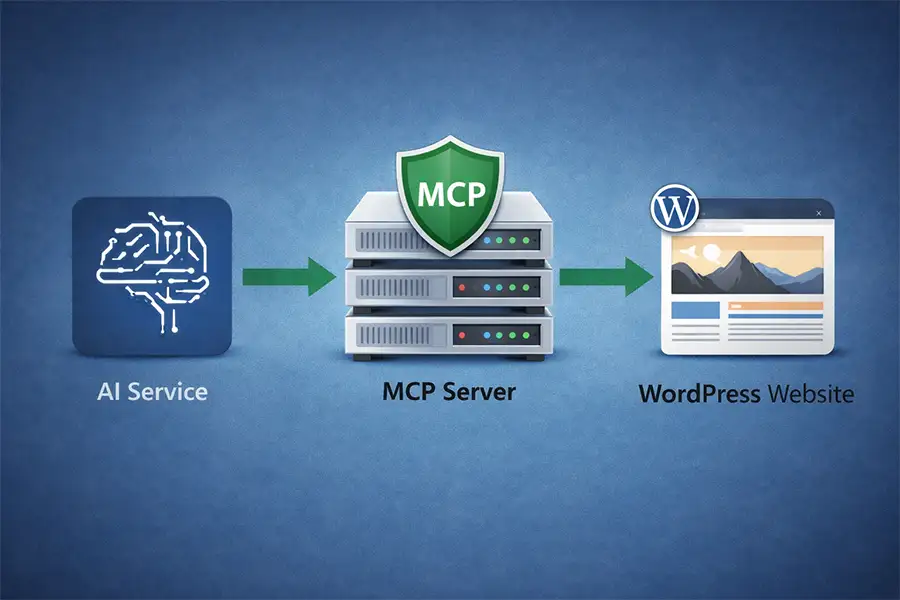
Now that we know a bit more about MCP, let’s examine how it works with WordPress. The recently formed WordPress AI Team already has a tool for connecting the content management system (CMS) to AI applications.
The MCP Adapter plugin brings this technology to any WordPress website. It connects an AI app to the WordPress Abilities API, allowing developers to define what site functionalities AI can access (think adding images to your media library or generating SEO descriptions). The adapter is flexible, as WordPress can act as either an MCP server or client.
The WordPress MCP Adapter doesn’t favor one AI model over another. As such, it doesn’t matter if you’re connecting to Claude, ChatGPT, or another supported app. The tool’s job is to translate between AI and the Abilities API.
The result is a future-friendly tool that can adapt (see what we did there) as new AI models enter the market.
What’s more, WordPress 7.0 is set to include tighter (but not forced) integration with the “Building Blocks” being developed by the AI Team. The team states, “By WordPress version 7.0, any WordPress user – enterprise or blogger, developer or designer – should be able to access, use, and build powerful AI features to aid in furthering their digital presence on the open web.”
Potential WordPress MCP Use Cases
OK, here’s where we start to use our imagination. We’ve already named a few basic use cases for MCP inside WordPress. Let’s dream up a few more possibilities:
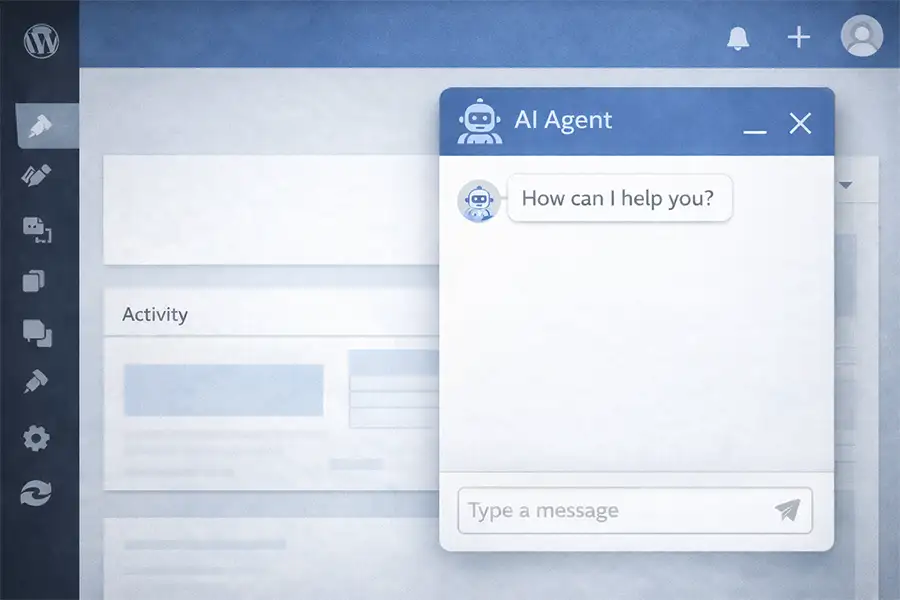
- A helpful dashboard agent: An AI agent inside your WordPress install could perform useful and time-saving tasks. Ask it to list your best-selling products, send an email to your members, or delete spam comments.
- Better WordPress onboarding: It’s not uncommon for new WordPress users to become frustrated when learning how to use the CMS. AI presents a golden opportunity for a guided onboarding experience and a way for users to ask questions. Such a tool could show users where things are and how to use them.
- Importing and exporting data: An AI agent could allow you to import or export data with plain-language requests – no database query expertise required. That would lower the barrier for users to get the information they need.
- Improving accessibility: Accessibility plugins already exist, but AI could help them do more. For example, they might proactively identify issues as you work and suggest a solution. They might also scan PDF files to ensure compliance, generate transcripts for your multimedia content, or add accurate ALT attributes to images as you upload them.
- Lock down site security: Your site’s security plugin could use AI to identify malicious code more accurately and alert you to suspicious activity as it happens.
- Make your website multilingual: AI is already speeding up the language translation process for WordPress websites. It might also result in more accurate automated translations and enable you to add new languages on the fly.
The above ideas are just the tip of the iceberg. MCP has the potential to spur all manner of creative uses for AI in WordPress.
MCP Resources for WordPress and Beyond
Do you want to learn more about MCP and its role in WordPress? Here are a few handy resources to dig in:
- AI for WordPress Developers (Jason Adams)
- Are you down with MCP? (Brian Coords)
- Introduction to Model Context Protocol (Anthropic Academy)
- Use MCP servers in VS Code (Official VS Code Documentation)
- What is the Model Context Protocol? (Official MCP Documentation)
- WordPress AI Experiments Plugin (GitHub)
- WordPress Plugins Using AI (WordPress Plugin Repository)
We hope you enjoyed our look at MCP! We encourage you to stay up to date on what’s happening by checking out the WordPress AI Team’s blog.
Related Topics
Top