Guides & Tools for WordPress Developers

WordPress developers work with themes, plugins, custom code, and the block editor. These articles share tutorials, tools, and ideas for building better WordPress websites.

Topics range from PHP and JavaScript to REST APIs and choosing the best hosting for WordPress developers. Great for both new developers and experienced coders looking to stay sharp.

Quick Tip: How To Use WordPress Block Notes
Quick Tip: How To Use WordPress Block Notes

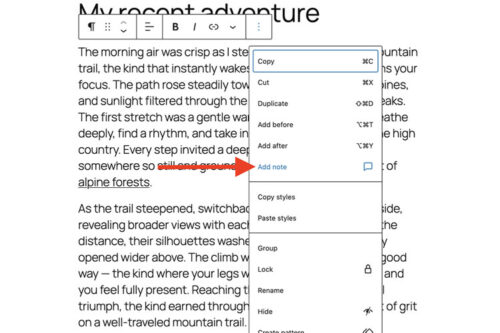
WordPress Notes adds block level comments to the Block Editor. We show you how to add a note to any block, reply in a thread, get email notifications, and mark notes as resolved for smoother collaboration.

A New Choice: Use an Existing Plugin or Vibe Code Your Own?
A New Choice: Use an Existing Plugin or Vibe Code Your Own?

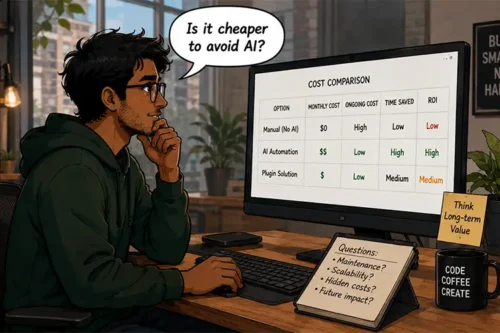
AI makes it easier to build custom WordPress plugins, but it does not make the decision automatic. This article breaks down when to install an existing plugin and when to build your own, based on scope, flexibility, and long-term maintenance.

10 Best WordPress Developer Hosting Packages in 2026

10 Best WordPress Developer Hosting Packages in 2026

The best WordPress hosting for developers in 2026. Tools, performance, security, and scaling you can rely on.

Diving into WordPress Custom Post Types & Taxonomies

Diving into WordPress Custom Post Types & Taxonomies

With custom post types and taxonomies you can create highly-specific ways of organizing content. We show you how you can use them in your own projects.

What to Look for When Hiring a WordPress Expert
What to Look for When Hiring a WordPress Expert

WordPress is an incredibly flexible Content Management System (CMS). Through the use of themes and plugins, you can build just about any type of website that you can dream up….

The Responsibilities of a WordPress Plugin Developer

The Responsibilities of a WordPress Plugin Developer

Releasing a WordPress plugin means more than writing code. Learn how plugin developers deal with theme and plugin conflicts, support pressure, security concerns, and the work needed to keep users’ sites running.

How to Update WordPress Themes and Plugins with a ZIP File

How to Update WordPress Themes and Plugins with a ZIP File

We take you through the fairly simple process of updating your WordPress website’s themes and plugins using only a ZIP file.

Why Humans Should Still Be a Part of WordPress Development

Why Humans Should Still Be a Part of WordPress Development

Some teams are cutting staff and leaning on AI for WordPress work. Learn why that can backfire, and how humans improve results through testing, review, better planning, and user-focused decisions.

Using my.WordPress.net to Experiment With AI

Using my.WordPress.net to Experiment With AI

Learn how to use my.WordPress.net as a safe AI sandbox. We show you how to install WordPress in the browser, add the AI Assistant app, connect ChatGPT, Claude, or Ollama, and run a few test prompts.

What to Do When Your WordPress Website Has Been Hacked

What to Do When Your WordPress Website Has Been Hacked

It’s perfectly normal to feel scared or frustrated when your WordPress site has been compromised. Take a breath, and follow this guide for dealing with a hacked WordPress website.

The Potential of Local Open-Source AI Models

The Potential of Local Open-Source AI Models

Local open-source AI models can lower privacy risks and reduce API costs. We look at why smaller models can fit common site tasks, how they can be trained on narrow data, and where to start testing.

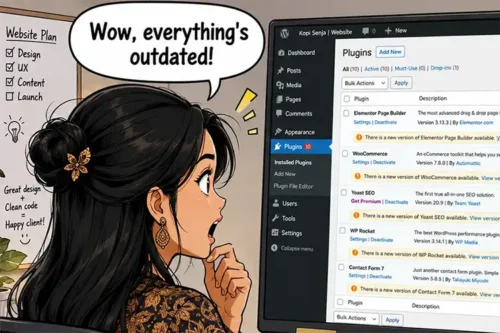
How to Build a WordPress Maintenance Service

How to Build a WordPress Maintenance Service