
Guides & Tools for WordPress Developers

WordPress developers work with themes, plugins, custom code, and the block editor. These articles share tutorials, tools, and ideas for building better WordPress websites.

Topics range from PHP and JavaScript to REST APIs and choosing the best hosting for WordPress developers. Great for both new developers and experienced coders looking to stay sharp.

Why Humans Should Still Be a Part of WordPress Development

Why Humans Should Still Be a Part of WordPress Development

Some teams are cutting staff and leaning on AI for WordPress work. Learn why that can backfire, and how humans improve results through testing, review, better planning, and user-focused decisions.

Using my.WordPress.net to Experiment With AI

Using my.WordPress.net to Experiment With AI

Learn how to use my.WordPress.net as a safe AI sandbox. We show you how to install WordPress in the browser, add the AI Assistant app, connect ChatGPT, Claude, or Ollama, and run a few test prompts.

The Potential of Local Open-Source AI Models

The Potential of Local Open-Source AI Models

Local open-source AI models can lower privacy risks and reduce API costs. We look at why smaller models can fit common site tasks, how they can be trained on narrow data, and where to start testing.

What AI Can Teach Web Developers About WordPress

What AI Can Teach Web Developers About WordPress

AI can do more than write code. We show you how to use AI to explain WordPress snippets, compare different ways to build a feature, and review code for security, performance, and maintainability.

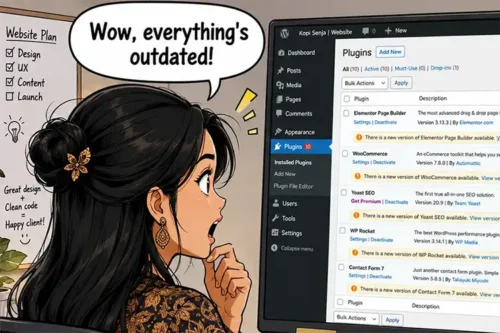
How to Refactor Your Outdated WordPress Code With AI

How to Refactor Your Outdated WordPress Code With AI

Part of bringing your older WordPress site up to modern standards means refactoring outdated code. We show you how to use AI tools to help identify and fix any issues.

How to Troubleshoot & Debug WordPress Code With AI

How to Troubleshoot & Debug WordPress Code With AI

ChatGPT will save you hours, not to mention a whole lot of stress, debugging and troubleshooting WordPress code. Learn a few tricks for getting the best results with AI.

How to Use Remote Data Blocks to Display Google Sheets Data in WordPress

How to Use Remote Data Blocks to Display Google Sheets Data in WordPress

Remote Data Blocks can pull data from services like Google Sheets and display it in WordPress blocks. This tutorial tests the setup, connects a Sheet using a Google Cloud service account, and then formats the output with a block pattern.

How WordPress Agencies Can Improve Site Building Efficiency

How WordPress Agencies Can Improve Site Building Efficiency

Improved efficiency allows you to level up your WordPress design agency. We’re all about improving the site-building process without cutting corners. We share how to make it a reality.

Tips for Building a Performant WordPress Website

Tips for Building a Performant WordPress Website

Want a faster WordPress site? Learn how to boost performance with better hosting, lightweight themes, optimized images, and smart caching strategies.

Use AI to Enhance – Not Replace – Your WordPress Expertise

Use AI to Enhance – Not Replace – Your WordPress Expertise

AI can speed up WordPress development, but overreliance can hurt your workflow. Learn how to use AI tools effectively without losing control of your code.

How To Protect Media Files Uploaded to WordPress

How To Protect Media Files Uploaded to WordPress

WordPress uploads are public by default, so your files can be hotlinked or pulled into search results. This article shows server-level hotlink blocking, noindex headers, and ways to protect attachment pages.

Learn How to Display WordPress Custom Field Data With Blocks

Learn How to Display WordPress Custom Field Data With Blocks