
Data portability is something that we don’t often think about until we need it. This is especially so with WordPress. Our posts, users, eCommerce orders, etc., live happily in a database. But when we want to access and take that information with us (and potentially import it into another site), it’s not always a simple task.
One way to handle this is via backend software like phpMyAdmin. You can import and export a full database or just specific tables. It offers a lot of flexibility. But that is not recommended for the faint of heart. It is entirely possible to bring down a site if you’re not careful.
In most cases, the better way to perform these tasks is through a WordPress plugin. Many feature a more user-friendly GUI and some are built for niche uses like user accounts or WooCommerce orders. This is an added layer of convenience overdoing things through phpMyAdmin.
A word to the wise: Misuse of a plugin can still result in damage. So always make sure to back up your site before messing around with critical data. Even better, make a copy of your site and test things out in a staging environment before touching a live install of WordPress.
With that, here are 10 free plugins you can use to import and export various kinds of data with WordPress. Note that while the plugins are categorized as Import or Export, some will happily perform both functions.
WP All Import Plugin
WP All Import is designed for times when you want to import posts from a CSV or XML file that isn’t WordPress-friendly by default. It could be something a client created, or it could be from a different CMS. The plugin doesn’t require any special elements or layouts in the file, making a tough job easier.
A companion Export plugin is also available.
WP Ultimate CSV Importer Plugin
WP Ultimate CSV Importer (which also provides Exports) enables you to import an array of data. Included are the abilities to import posts, pages, custom post types, comments, users, custom fields and even SEO information from All in One SEO Pack. You can also import images from external URLs.

Import Users from CSV with Meta WordPress Plugin
If you have many users to import, Import Users from CSV with Meta is a lifesaver. Not only will it bring new users into your WordPress install, but it can also update data for existing users. Plus, it will import Meta from plugins like WooCommerce, or you can create your own custom info.
You’ll also be able to assign each user a specific role and choose whether or not to send an email to new users.

Customizer Export/Import WordPress Plugin
Recreating the exact theme settings in the WordPress Customizer can be extremely tedious – especially when you’re using a theme that has lots of options.
Customizer Export/Import makes it a breeze, allowing you to export or import settings from another site (or restore a backup) directly from within the Customizer.

JSON Content Importer for WordPress
JSON Content Importer lets you display live data from a JSON feed through a simple Shortcode. Control how many items are displayed, use keyword settings to only display specific types of content, and more. The plugin uses a template engine to help you tweak the layout to your liking.
Export User Data WordPress Plugin
Perfect for eCommerce and membership sites, Export User Data makes it easy to export a custom spreadsheet of users. Craft your export from custom user meta (including fields added by BuddyPress), registration date, and user role. This allows administrators to quickly narrow things down to just a specific segment of accounts.

Advanced Orders Export Plugin for WooCommerce
Advanced Orders Export for WooCommerce is incredibly flexible. It enables you to export virtually anything associated with a WooCommerce product, including Meta and custom fields.
Powerful filters and the ability to move fields around allow for fine-tuning an export to your liking. Export your orders in CSV, XLS, XML, and JSON. Available code snippets help you add compatibility with certain Woo extensions.
Export All URLs WordPress Plugin
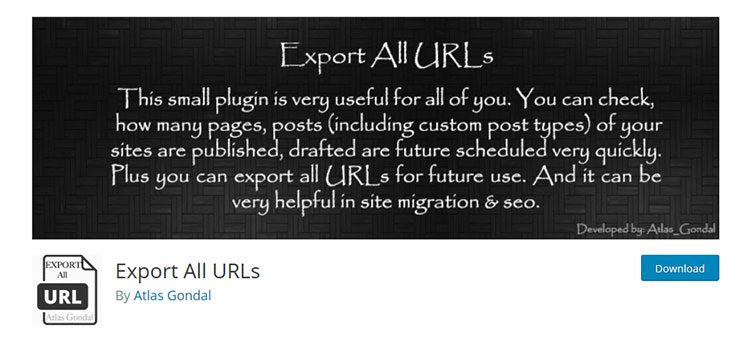
Do you need to quickly grab a listing of all the titles, URLs, and categories for your WordPress Website? Export All URLs will create a page on your site listing it all. Data can be exported and categorized by post type.
Simple CSV/XLS Exporter for WordPress
Simple CSV/XLS Exporter is a utility that lets you pick and choose what is included with your export.
Pick from any standard or custom post type, select fields, or get really specific by choosing posts made by a specific user ID. WooCommerce orders can also be included in an export.
Export Media with Selected Content for WordPress
When exporting a post type in WordPress, the media attached to those posts are not included. Export Media with Selected Content provides a fix by allowing you to choose whether or not to include media files in the package.
Import & Export WordPress Plugins at a Glance
| WordPress Plugin | Description | Primary Use |
|---|---|---|
| WP All Import | Import posts, pages, users, custom fields, WooCommerce products, and more via CSV/XML files. | Advanced importing. |
| WP Ultimate CSV Importer | Import posts, pages, CPTs, comments, users, custom fields, images, and SEO data, with export support. | CSV import and export. |
| Import Users from CSV with Meta | Batch import users from CSV including meta, assign roles, and optionally send emails. | User import. |
| Customizer Export/Import | Export or import WordPress Customizer settings to replicate theme options on another site. | Customizer settings transport. |
| JSON Content Importer | Display live JSON feed data using shortcodes with customizable templates. | Live JSON content import. |
| Export User Data | Export custom spreadsheets of users by role, meta, registration date, and more. | User data export. |
| Advanced Orders Export for WooCommerce | Export WooCommerce orders in CSV, XML, XLS, or JSON with powerful filters and custom fields. | WooCommerce export. |
| Export All URLs | Create a listing of titles, URLs, and categories for all content and export them. | Site URLs export. |
| Simple CSV/XLS Exporter | Select specific post types, fields, or user posts to export in CSV/XLS formats. | Custom CSV/XLS export. |
| Export Media with Selected Content | Include attached media when exporting posts so images/files aren’t left behind. | Media-inclusive export. |
Portability is Important
The ability to move data around is a necessary feature for many organizations. User data can go back and forth to keep a membership roster up to date. Online sales data can be imported into accounting software to get ready for tax time. And, there’s always the need to move data between websites.
While some of the plugins above have a more narrow focus than others, they can all serve the purpose of making a WordPress website’s data more portable. That, in turn, makes life easier for both designers and site owners.
Related Topics
Top