Creating a Web Development Environment using Google Chrome Extensions

Since its launch, an extension system has been one of the most sought after and requested features for Google Chrome, and last month, Google delivered. They launched, in beta, there Google Chrome Extensions web site, and in just under a month they have already cataloged an impressive 1000+ extensions (no support for the Mac, as yet).
So, the big question now is, how powerful, useful and indispensable can we, as developers and designers, actually make Chrome, while backed up with its new extensions? The next question is, can it or will it replace Firefox?

Google Chrome Developer ExtensionChromes main asset is its speed. Yes, it is faster than Firefox but, speed should not be what defines your browser. Your browser should be defined by the personalized environment that you create and are comfortable with, and can seamlessly house the many utilities, apps and tools that your browsing habits require.
That is exactly what Firefox gives me, that is why I use it and love it, and it is going to take something extraordinary to make me change. Its is a blank canvas to create my own personal window to the web, that Firefox offers me. And, for me, that is why Chrome is lagging behind… but it may just be catching up.

Back to the first question, how powerful can we actually make Chrome, as designers and developers? Well, pretty powerful, to be honest. In just under a month there are dozens upon dozens of new extensions specifically developed for web developers, and in this article I have collected, what I feel, are the best and most useful extensions for creating your own personal Google Chrome web development environment.

For these extensions to work, you will need to download the Beta Channel of Google Chrome.
You can download it here: Get Google Chrome (Beta) (Requires Windows Vista/XP SP2+).
Firebug Lite

Firebug Lite Google Chrome Developer Extension
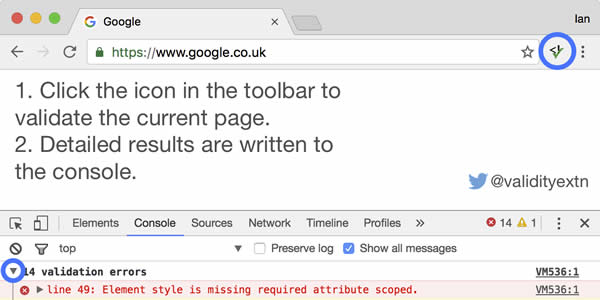
If you are a serious developer you will, of course, be using Firefox, and the chances are you will be using the phenomenal Firebug extension. Firebug gives you a wealth of web development tools, allowing you to edit, debug, and monitor CSS, HTML, and JavaScript live on any web page. It is a truly indispensable tool.

The Chrome solution/alternative for Firebug is, basically, a stripped down version of Firebug, called Firebug Lite. It has been developed by the same team behind its big brother, and yes, it is much smaller than the Firefox version, and can only simulate a handful of the powerful Firebug features. Don’t let that put you off though, the features it packs would be powerful enough for most developers and designers.

Pendule

Pendule Google Chrome Developer Extension
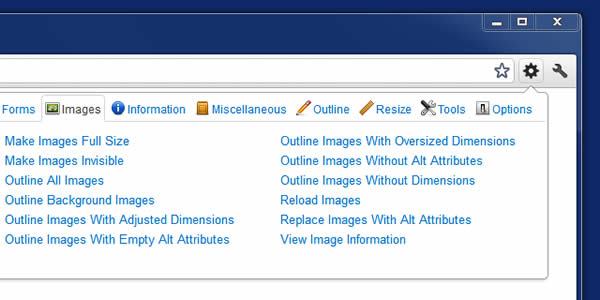
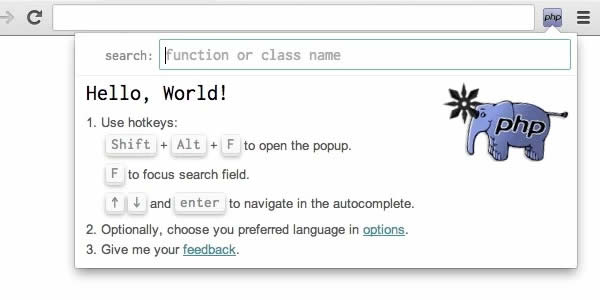
Pendule is a very useful extension that gives you a wide array of easy to use developer tools. Some of its features include: View Page Source, Color Picker, Display Ruler and Disable CSS. On top of that you also have some handy image tools: Hide Images, Show Alt Text, Show Dimensions and Show paths. And, to top it all off, it even has tools that will validate CSS, HTML and Feeds.
What I love about this extension is its simplicity, nothing flashy about it, just tools, and even more tools. Excellent!

Web Developer Mini

Web Developer Mini Google Chrome Developer Extension
Unlike Firebug Lite and Pendule, Web Developer Mini does not offer a huge volume of tools, nor is it anywhere near as powerful. It is a basic developer extension that offers easy access to validate your CSS and HTML, view the Page Source, and it has an added feature, which I like, is that it gives you direct access to BrowserShots (a screenshot generating app).

Speed Tracer

Speed Tracer Google Chrome Developer Extension
Speed Tracer is an open-source tool that will help you identify and fix performance problems within your web applications. It visualizes metrics that are taken from low level instrumentation points inside of the browser and analyzes them as your application runs.
Using Speed Tracer you are able to get a better picture of where time is being spent in your application. This includes problems caused by: Javascript parsing and execution, Layout, CSS style recalculation and selector matching, DOM Event handling, Network resource loading, Timer fires, XMLHttpRequest callbacks, Painting and much more ….
Speed Tracer Tutorial Video
Learn about one of Google Web Toolkit 2.0′s newest tools, Speed Tracer, in this video tutorial. This video provides an overview of Speed Tracer, a Chrome extension which enables developers to profile the internals of the browser, preventing bottlenecks by enabling diagnosis of hidden problems.

PlainClothes

PlainClothes Google Chrome Developer Extension
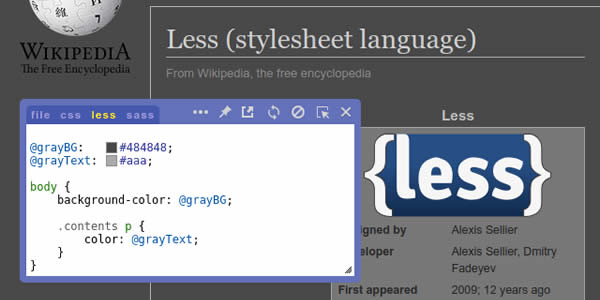
This extension can “unstyle” any web page. Just imagine: text is black, backgrounds are white, unread links are blue, visited links are purple, all links are underlined. Or any other colors you like. And all of the text is rendered in your default fonts (as defined in “Options” > “Under the Hood” > “Change font and language settings”).
You can control the extent of the “unstyling” via the Options window (“Extensions” > “PlainClothes” > “Options”), and you can toggle the “unstyling” on a per-site basis by clicking the icon in the location bar.
Although this is primarily designed as an accessibility feature, anyone can use it.

Chrome Sniffer

Chrome Sniffer Google Chrome Developer Extension
Chrome Sniffer is an extension that allows you to inspect the web framework/CMS and javascript library running on any website. The extension simply works by displaying an icon that indicates which frameworks have been detected. Currently, this extension can detect up to 25 popular CMS and javascript libraries, with much being planned with future releases.

BuiltWith Chrome Extension

BuiltWith Google Chrome Developer Extension
BuiltWith is a web site profiler tool. Upon looking up a page, BuiltWith returns all the technologies it can find on the page. BuiltWith’s goal is to help developers, researchers and designers find out what technologies pages are using which may help them to decide what technologies to implement themselves.

BuiltWith technology tracking includes widgets (snap preview), analytics (Google, Nielsen), frameworks (.NET, Java), publishing (WordPress, Blogger), advertising (DoubleClick, AdSense), CDNs (Amazon S3, Limelight), standards (XHTML,RSS), hosting software (Apache, IIS, CentOS, Debian) .

IE Tab

IE Tab Google Chrome Developer Extension
Use Internet Explorer to display web pages in a Chrome tab. Some sites can only be displayed using IE, and with this extension you can now see those sites without leaving Chrome. The Extension is great for web developers who want to test the IE rendering engine, users who use sites with ActiveX controls, and users who want to use the explorer view for local files.

JavaScript Console

JavaScript Console Google Chrome Developer Extension
This simple, yet handy web development extension, will allow you to do some JS prototyping on any web page.
You will probably have to disable the extension when you are not using it, because it is somewhat obtrusive and seems to block some functionality on some sites. This is not one of those extensions you just install and leave going (there is a popup window with a link to the extensions page so you can deactivate when you are finished).

Window Resizer

Window Resizer Google Chrome Developer Extension
The very polished Window Resizer extension allows you to resize the browser window to emulate various screen resolutions, including mobile screens. You even have the added option of customizing the settings and creating a personalized screen sizes or viewports.
Support video link: Window Resizer Support.

META Inspector

META Inspector Google Chrome Developer Extension
META Inspector is a Chrome extension that can be used to inspect the meta data, that is usually not visible while browsing, found inside web pages.
This extension is mainly aimed at web developers that need to verify the description tag of their site to follow the Webmasters’ Google Guidelines, but even to who is curious about page contents that are usually not visible, but can reveal interesting site properties.

Aviary Screen Capture

Aviary Screen Capture Google Chrome Developer Extension
With Aviary Screen Capture, you can take a screenshot of any webpage and edit it directly in your browser using Aviary applications.
This quick screen capture addon is a must-have for bloggers and designers. It will perform a screen capture of the visible portion of any webpage and then open the capture INSTANTLY in a basic image editor where you can do markup (draw arrows and rectangles), edit (crop, rotate and resize) and get the exact pixel colors of the image.

LoremIpsumGenerator

LoremIpsumGenerator Google Chrome Developer Extension
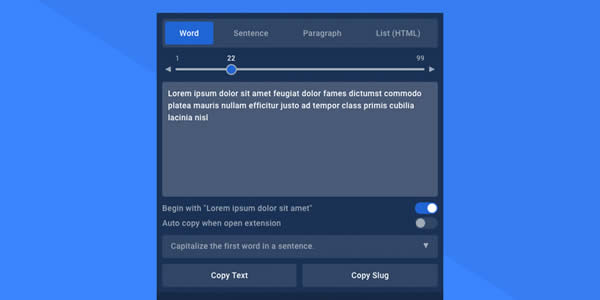
This very simple extension that gives you quick access to a Lorem Ipsum generator, an essential tool for any web designer.
Many other extensions of this type – in other browsers – simply complicate this task, using really extensive code, XHR, etc. The main purpose of this one, is to use the less amount of code (and also memory) and help the developer/user to simply get the job done.

Useful Chrome Extensions Resources
You might also like…

32 Indispensable Bookmarklets for Web Developers and Designers »
27 Indispensable Web Design and Development Firefox Extensions »
10 Online Tools and Apps to Help Optimize and Format CSS »
CSS References, Tutorials, Cheat Sheets, Conversion Tables and Short Codes »
The Blueprint CSS Framework – Tutorials, How-to Guides and Tools »
50 Essential Web Typography Tutorials, Tips, Guides and Best Practices »
50 Useful Tools and Generators for Easy CSS Development »
20+ Resources and Tutorials for Creative Forms using CSS »
24 CSS (in some cases with jQuery) Navigation and Menu Tutorials »
22 CSS Button Styling Tutorials and Techniques »

Author: (569 Posts)

Paul Andrew is the editor and founder of Speckyboy Design Magazine. You can follow Speckyboy on Twitter, on Facebook, on Digg or you can subscribe via RSS.

  • Pingback: Creating a Web Development Environment using Google Chrome Extensions : Speckyboy Design Magazine | Rumball Motors Interactive

  • http://www.westpalmbeach-criminalattorney.com/ West Palm Beach criminal attorney

    I assume that Firefox will come back swinging at Chrome’s speed, but I can see it becoming a much fairer fight the longer developers have to play with Chrome.

  • http://www.webshift.tk Alek Liskov

    I have been using chrome of quite a while and I have been following their channels and news on chromium.org. Chrome is improving rapidly since there are so many developers working on both Chrome and Chrome OS, which are trans-compatible. Chrome will be the best browser out there in no more than a year, without a doubt.

    Thank you so much for the post. It was very interesting.

    • Andrey

      I assume this extension to embed jQuery into Chrome Console as simple as you can imagine will increase your positive emotions on the Chrome power! This extension also indocates if jQuery has been already embeded into page.

      This extension used to embed jQuery into any page you want. It allows to use jQuery in the console shell (You can invoke Chrome console by “Ctrl+Shift+j”).

      To embed jQuery into selected tab click on extention button.

      LINK to extension: https://chrome.google.com/extensions/detail/gbmifchmngifmadobkcpijhhldeeelkc

  • http://tomdringer.com Tom Dringer

    Been using chrome as my default browser now for about a month. Thanks for the list!

  • Pingback: Créer un environnement de développement Web avec des extensions Chrome

  • Pingback: Descubrimientos del 4 Enero 2010 | Blog de unique3w

  • http://www.seomator.com Tiberiu Petcu

    Great article and extension. Thank you.

    Also take a look at my extension seo for chrome http://www.seomator.com

    It is pending aproval, we had some problem when we lunch it.

    Thank you.

  • http://h-y-p-h-e-n.com Marina

    That’s a really good list. It seems like Chrome is really gaining steam these days.

  • Pingback: Créer un environnement de développement Web avec des extensions Chrome | Fil de Toile

  • uma mahesh varma

    Thank You these are very helpfull.

  • http://crispytech.com Saad

    Firebug lite doesn’t cover the 20% of the actual firebug for firefox.

  • http://www.coupon-land.com/ Coupon

    Verry nice and well done. I’ve been looking for this, and finally found it! Thanks!

  • http://bybjorn.com bjorn

    wow, what a great list of plugins. I never considered using Chrome for developing, but come to think of it it might be a good solution not to bog down my main browser, Firefox, with all these developer tools :-)

  • http://thejase.com Jason Featheringham

    I’m not sure this is quite newsworthy yet. Most of these tools are only small conveniences, and Firebug Lite puts the emphasis on “Lite.” Keep trying…

  • http://satf.se Jonas

    Feels a bit redundant (and somewhat stupid) to be using Firebug lite when Chromium boasts excellent debugging features natively (View -> Developer -> Developer tools). Maybe not as awesome as Firebug, but it sure is better than Firebug lite.

  • Ionut Botizan

    Hi there!

    I’m the author of the “Window Resizer” extension and I just wanted to tell you that I have also added the extension to the Google Chrome extensions gallery: https://chrome.google.com/extensions/detail/kkelicaakdanhinjdeammmilcgefonfh

    Actually, it probably won’t be updated anymore on chromeextensions.org, so I’d suggest you modify the links in the article to point to the link I mentioned.

    Thank You,
    Ionut B.

  • http://www.thatdeadpixel.com Mike

    I’ve been using the Mac version since they released it and I like it a lot. They really need to release a new version and fix a few things though.

  • Pingback: links for 2010-01-07 « Köszönjük, Emese!

  • http://night-fairy-tales.blogspot.com/ SMiGL

    Google Chrome has a normal debugger. Why use Firebug Lite?

  • Pingback: 15 Tips and Techniques for Styling the button element | Bizimhost.biz

  • Pingback: Enlaces interesantes (12) | Cosas sencillas

  • Khaleel

    I read the title on your homepage and thought.. interesting. I read your post and stopped reading after “firebug lite”

    If Google Chrome had everything my Firefox had, Search Status, Download, Fox tabs etc… and it was the same speed or faster – I still would not change because

    Firefox is Firefox and Google Chrome is Google – Google cannot dominate everything in my world; I love their service but I am not going to use their browser.

  • Whatdoesitwant

    So many plugins seem in real need of some icon grouping. Has someone made a plugin that does this the way w7 handles them?

  • Pingback: Pattern Inc » The Best Google Chrome Extensions

  • Pingback: Easier Web Browsing with this Selection of Powerful Bookmarklets « My Blog Feeds

  • Pingback: pligg.com

  • Pingback: Creating a Web Development Environment using Google Chrome Extensions | idealthought

  • Pingback: What the Future of Cloud Computing means for Web Designers | Prabaharan CS Blog

  • http://twitter.com/BryantSmith Bryant Smith

    I’m glad Chrome is catching up. I’ve been using firefox for awhile but like chrome for it’s speed. I’m seriously debating switching.

  • http://twitter.com/BryantSmith Bryant Smith

    I’m glad Chrome is catching up. I’ve been using firefox for awhile but like chrome for it’s speed. I’m seriously debating switching.

  • http://www.andy-morley.co.uk/ Andy Morley

    I have written a similar post on how to set up Google Chrome from an SEO’s point of view, I have listed my top 10 SEO plugins which i use literally every day whilst performing SEO for clients.

    Might be useful if your readers are thinking about moving towards the search marketing side of the web.

    http://www.andy-morley.co.uk/seo/10-awesome-chrome-extensions/ 

    Cheers guys.

    Keep up the good work.

    Andy.

  • Luke

    Don’t forget that the Chrome Inspector is a tool built in to chrome, which rivals Firebug (and beats it in some areas).  My favourite feature is to be able to modify the CSS of a page, then see the diffs that you’ve made and save the updated CSS files to disk.

    With this built-in inspector, no need for Firebug Lite, nor javascript console.  It’s all there!