

WordPress Plugins, Themes & Tutorials

Powering over 43% of all sites on the web, WordPress is the most widely used CMS for building websites. Written in PHP, it’s open-source and highly extendable, which makes it a reliable choice for custom web projects of any size.

We cover practical topics like theme development, plugin recommendations, hosting comparisons, and AI prompts. Whether setting up a basic site, eCommerce store, or building something even more complex, you will find guidance here that’s based on real projects.

Our WordPress articles focus on what works, what breaks, and what to avoid. You’ll also find useful tips on performance, security, SEO, and block-based design.

The goal is simple: help you build better WordPress websites with fewer problems along the way.

An Introduction to WordPress Child Themes

An Introduction to WordPress Child Themes

WordPress child themes protect custom theme changes from being overwritten during updates. Learn what files they need, how to set one up, and what to watch for when a parent theme changes.

How to Test Your AI-Generated WordPress Plugin

How to Test Your AI-Generated WordPress Plugin

AI can generate WordPress plugins in minutes, but they’re not ready for production without testing. Learn how to audit code for security, stability, and performance.

How to Set Up Your WordPress Agency for Long-Term Success

How to Set Up Your WordPress Agency for Long-Term Success

We share some tried-and-true methods for creating and managing a WordPress agency that will help you thrive and grow in such a competitive industry.

Tips for Freelance Designers Who Work as Sub-contractors

Tips for Freelance Designers Who Work as Sub-contractors

Navigate the world of freelance design by learning how to effectively work as a subcontractor, enhancing your skills and network.

The Challenges of Building a Modern eCommerce Website

The Challenges of Building a Modern eCommerce Website

Building an eCommerce website means dealing with more than products and checkout. Learn why platform choices, 2FA, payment gateways, APIs, plugins, and disconnected data can slow down a project.

How to Create a Custom Color Palette for the WordPress Gutenberg Editor
How to Create a Custom Color Palette for the WordPress Gutenberg Editor

A custom Gutenberg color palette can keep block layouts on brand and help avoid poor contrast choices. Learn how to set approved colors in functions.php and support them with theme CSS.

The Cheapskate’s Guide to WordPress Plugins
The Cheapskate’s Guide to WordPress Plugins

One of the most amazing features of WordPress is its priceless price tag. In other words: It’s free. That provides virtually anyone with an opportunity to learn the CMS and…

An Easy Way to Edit Block Visibility in the WordPress Gutenberg Editor
An Easy Way to Edit Block Visibility in the WordPress Gutenberg Editor

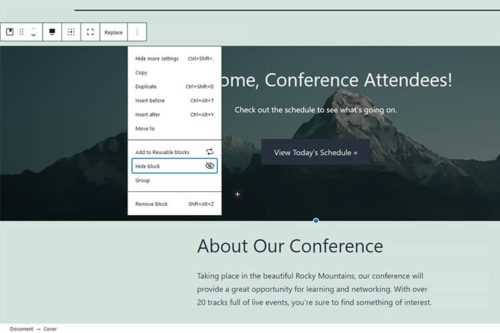
We share a collection of different ways you might utilize Block Visibility in the WordPress Gutenberg Editor.

The 10 Best Free Content Creation WordPress Plugins

The 10 Best Free Content Creation WordPress Plugins

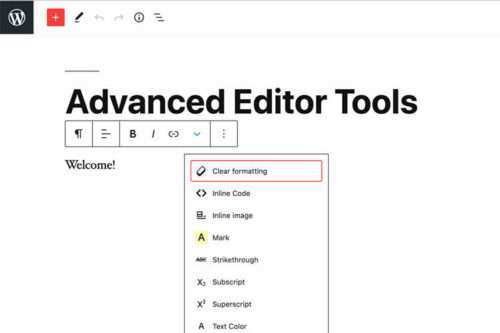
A collection of free plugins for adding advanced content creation features that will allow you to create complex content within WordPress.

How to Create Your Own Block Theme Within WordPress

How to Create Your Own Block Theme Within WordPress

Thanks to the new Create Block Theme plugin you can now create a block theme fully from within WordPress and even export it for use elsewhere.

An Introduction to WordPress Block Themes
An Introduction to WordPress Block Themes

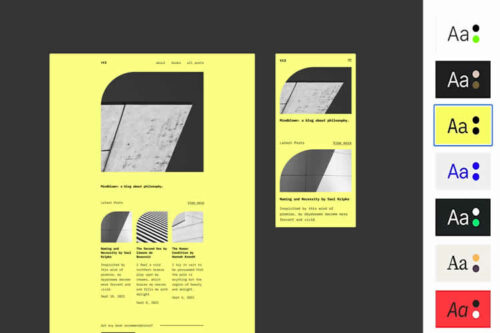
An introduction into the basics of WordPress block themes, and discussion on how they compare and contrast to traditional themes.

The Benefits of Using Block Themes in Your Next WordPress Project

The Benefits of Using Block Themes in Your Next WordPress Project