15 Tips and Techniques for Styling the button element

Lets be honest, most of the form buttons that you come across are ugly, they work as intended, but really, really look awful.

There are reasons for this, firstly form buttons, as with almost anything to do with forms, are notoriously tricky to style with consistency, and secondly, styling can cause major problems with cross browser and cross platform compatibility.
The button element defines the submit button. Designers may choose to use the input element to specify these buttons, but are limited to only very basic styling. For richer and prettier buttons the obvious choice is the button element, which offers richer labels, including images and emphasis. It is this element this article focuses on.

In this article we highlight 15 methods and techniques for improving the styling of your form button.

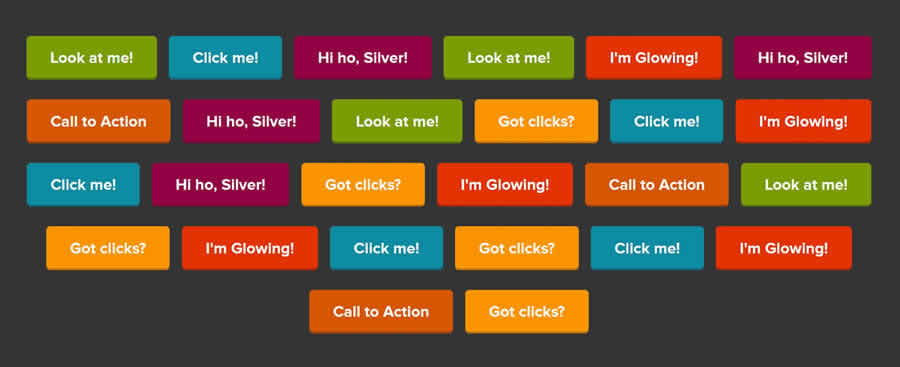
Super Awesome Buttons with CSS3 and RGBa

Styling the Button ElementWith a little more refinement, you can make your html buttons look more actionable and refined while maintaining the ability to function as a button across browsers.
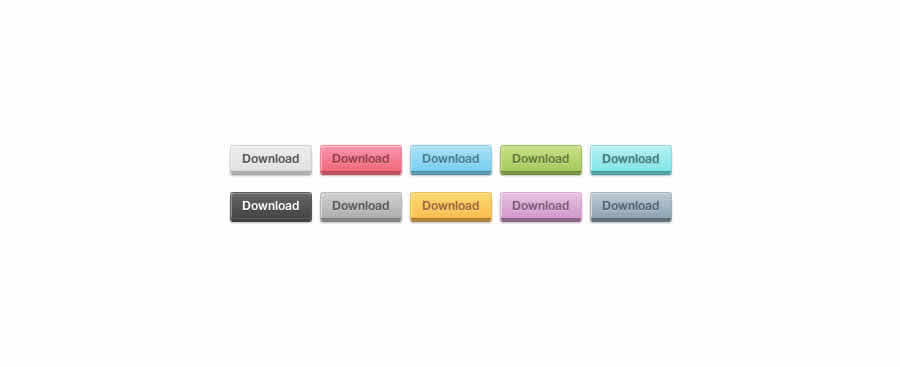
With a little CSS3 magic, you will learn how to create a scalable set of buttons with nearly half the CSS it would have taken with hex colors, all made possible by a transparent PNG overlay (for the gradient), border, border-radius, box-shadow, and text-shadow.

Simply-Buttons v2

Styling the Button ElementSimply-Buttons v2 is a technique for creating beautiful cross-browser buttons with pure CSS (can be improved with JavaScript). The buttons you will learn to build will look and behave the same way in every browser, fit to any text size, have three states (inactive, active and hover) and finally, they do not need javascript to work.

Creating and Styling Resizable Buttons

Styling the Button ElementYou can easily apply image replacement techniques to buttons and make your form look good. Most interesting feature is that BUTTON element may have content.
The overall goal of this tutorial is to create and style the button element so that it can handle variable lengths so there is no need for later interventions. Basically, you'll treat the button element as a container and add some markup.

Styling the Button Element with CSS Sliding Doors

Styling the Button ElementWhen developing this button technique, the developers requirements were as follows: use the sliding doors method introduced on A List Apart, allow the use of HTML text for the button labels so that you could reuse the same button style many times and, finally, that it does not require JavaScript for form submission or rollovers.
To meet these conditions they developed their technique – a cross-browser method for styling button elements with sliding doors.

Custom Styled CSS & HTML Input Buttons

Styling the Button ElementThis method uses a standard HTML <button> tag, pure CSS for the graphic customisation and no JavaScript. To keep things neat it uses a single image tiling across the background of the button.
This solution allows for a completely custom design to be applied to the button, while retaining the ability to use HTML text on the button itself, and the button will automatically expand or contract depending on the length of the text on the button. It will also gracefully degrade on older browsers with no CSS or JavaScirpt support.

Style your Form Buttons with Only CSS and Zero Javascript

Styling the Button ElementThis is perhaps the easiest and simplest method I could find for styling the button element.The tutorial shows you how to style a submit button without any JavaScript and how to make a simple, yet effective, rollover effect that works in all browsers.

Rediscovering the Button Element

Styling the Button ElementIn this timeless and in-depth tutorial (ok, it is only two years old), the author demonstrates his method for styling the <button> element with the following requirements: They have to look like buttons, cross browser compatible, the styles for the button need to be consistent with the sites links, the markup needs to be flexible and easy to change, and finally, to be able to use icons and colors effectively to pass information about the kind of interaction that would be taking place.

Transforming the Button Element with Sliding Doors and Image Sprites

Styling the Button Element In this article, you're going to learn how to transform the buttons image from fixed to flexible and good looking using HTML and CSS.
You will create a a cross-browser, flexible and attractive button using the sliding doors technique and image sprites for fast hover changes and less HTTP requests.

Rounded Form Buttons

Styling the Button ElementTo be more precise, this article tackles the submit buttons ( input type="submit"). Very often designers want to somehow emphasize these buttons and are not very pleased with the answer “well, how about bold and colored caption?” This tutorial offers a solution.

5 Techniques to Style Buttons using Images and CSS

Styling the Button ElementThis tutorial demonstrates five techniques for creating a search engine friendly, customizable, and expandable form button and how to style the buttons with CSS sprites.

Replacing Form Buttons with Images

Styling the Button ElementSo, you want to use CSS to style a form button to appear as an image, similar to the way you would with any anchor link (using background-image). While the process in this tutorial is very similar, there are a few odd behaviors that form buttons exhibit that anchor links do not (particularly when viewed in IE6) that require a little extra CSS tom-foolery to get around.

Styling Buttons to Look Like Links

Styling the Button ElementIdeally, you shouldn't mess too much with browser defaults for functional things like form controls, scroll bars etc. Sometimes, though, you just have to build what your designer or client tells you to.
It actually isn't hard to make a submit button look like a link using CSS so you should never find yourself in a position where you have to sacrifice forms for links purely for the sake of the design.

Styling Even More Form Controls

Styling the Button ElementThis article, from 456 Berea Street, is a reference that shows how differently form controls are rendered by different web browsers and operating systems. It also shows that very little can be done to make form controls appear the same across browsers and platforms. That said, the author demonstrates some basic tips for button styling.

Styling the Button Element in IE

Styling the Button ElementIf you’ve ever attempted to style a button inside IE, you know that it can be a huge pain. One of the first things you might notice when you bring your nicely styled buttons up in IE is that IE decides to stack the padding depending on the width of the content inside the element.

Styling Form Buttons

Styling the Button ElementButtons, as with most form controls, can be a bit tricky to style for consistent look cross browser and cross platform as the operating system often has more to do with how they are rendered than the browser itself. In this article, Roger Johansson, shows you a few different options available for styling your buttons.

Recreating the Button

Styling the Button ElementThis article is not specifically a tutorial, it is more of an overview and the thought process of Douglas Bowman and his and contribution into reinventing the browser button controls at Google, as seen in Gmail.
The buttons are designed to look very similar to basic HTML input buttons. But they can handle multiple interactions with one basic design. The buttons Google are using are image-less, and they’re created entirely using HTML and CSS, plus some JavaScript to manage the behavior. They’re also easily skinnable with a few lines of CSS, which is a key factor now that Gmail has themes.

You might also like…

25 Tutorials and Resources for Learning jQuery UI »
Creating a Web Development Environment using Google Chrome Extensions »
10 Online Tools and Apps to Help Optimize and Format CSS »
CSS References, Tutorials, Cheat Sheets, Conversion Tables and Short Codes »
The Blueprint CSS Framework – Tutorials, How-to Guides and Tools »
50 Essential Web Typography Tutorials, Tips, Guides and Best Practices »
50 Useful Tools and Generators for Easy CSS Development »
20+ Resources and Tutorials for Creative Forms using CSS »
24 CSS (in some cases with jQuery) Navigation and Menu Tutorials »
22 CSS Button Styling Tutorials and Techniques »
15 Amazing jQuery Image Gallery/Slideshow Plugins and Tutorials »

Author: (566 Posts)

Paul Andrew is the editor and founder of Speckyboy Design Magazine. You can follow Speckyboy on Twitter, on Facebook, on Digg or you can subscribe via RSS.

  • Pingback: ボタンに関するTips&テクニック15 | yuxu's notebook

  • Pingback: You are now listed on FAQPAL

  • Pingback: jQuery pageSlide | WebDesignExpert.Me

  • http://faizfaidzin.blogspot.com faiz

    thanks for your tips..excellent

  • http://desigg.com Desigg.com

    Simply-Buttons v2 very nice button.

    Great

    @desigg

  • Afraz

    Nothing was interesting. Old buttons which we are using hundreds of years. Need something extra ordinary.

    Anyhow, thanx.

    • http://www.kaplang.com/blog michelle

      These may be old and boring to you but what about all of the newbies who also read this post?

      There must always be a mixture of content on a website like this because not everyone is an expert like you ;)

      Thanks for these resources, I am sure loads of people have found them to be very useful.

  • Pingback: 15 Tips and Techniques for Styling the button element | Design Newz

  • http://www.iwebearn.tk/ IWebEarn

    i like the tips and thank you !

  • http://blog.pipraiya.in Vishal Pipraiya

    very nice article. i hope to implement some of these in my blog. thank you!

  • Pingback: Notable Tech Posts – 2010.01.03 | The Life of Lew Ayotte

  • http://brandonmathis.com Brandon Mathis

    You should check out the Fancy Buttons Compass plugin. You can get easy to customize gorgeous CSS3 buttons effortlessly. Also they degrade nicely for older browsers!

    Demo & Screencast:
    http://brandonmathis.com/projects/fancy-buttons/

  • http://annanta.com Kevin @Free Vector Graphics

    nice tutorial. I love to design websites with CSS and html.

  • Pingback: links for 2010-01-04 « Köszönjük, Emese!

  • http://charanj.it cchana

    buttons/inputs used to be a real pain, but with the rise of Ajax/JS/CSS3, it’s getting easier. some great ideas!

  • Pingback: Liens du 04/01/2010 | WebDev

  • Pingback: Descubrimientos del 31 Diciembre 2009 | Blog de unique3w

  • http://www.loool.ru Marat

    Very helpful!
    Thanks!

  • Pingback: 10 Tweeps Who Will [fill-in-the-blank] Your Creative Juices! | Thoughtpick Blog

  • Pingback: CSS Brigit | 15 Tips and Techniques for Styling the button element

  • http://www.sitedoublers.com/ John :: Web Consultant

    Thanks for the great resources here on how to *make* buttons.

    Forms and buttons do most of the work on a lead-generation site – it’s where the rubber meets the road.

    I blogged about best practice for submit buttons last year:

    http://www.sitedoublers.com/blog/button-design-best-practice

  • http://www.richarddavies.us Richard Davies

    Check out Sexy Buttons, a HTML/CSS-based framework for creating beautiful web site buttons.

    http://code.google.com/p/sexybuttons/

    (The framework is based on work from some of the tutorials/projects presented in this list.)

  • Pingback: Enlaces interesantes (11) | Cosas sencillas

  • http://www.greatmindsdesign.com web redesign

    Most of the time people dont really think about how important the style of your menu buttons. Clean cut buttons can add to usability and make navigation alot easier.

  • http://blog.karachicorner.com Muhammad Faisal Jawaid Attari

    hmmm. nice tutorials very useful for new commerce.

  • http://www.amdzines.com Abhilash M

    Thanks for the post. I had using normal image butting for a while.Need to chk these ones now.

  • http://www.studiowolf.nl/ Aljan Scholtens

    I’m always working on good buttons, using :hover and :active in a sprite really helps the user. The colors and size has to be right. The contrast is very important in buttons and it has to fit in. Thanks for these techniques!

  • http://www.areinfotech.com Riyaz memon

    Nothing was interesting. Old buttons which we are using hundreds of years. Need something extra
    ordinary.

    Thanks

  • http://www.777icons.com Aha-Soft

    i like the tips and thank you !