WordPress Plugins, Themes & Tutorials

Powering over 43% of all sites on the web, WordPress is the most widely used CMS for building websites. Written in PHP, it’s open-source and highly extendable, which makes it a reliable choice for custom web projects of any size.

We cover practical topics like theme development, plugin recommendations, hosting comparisons, and AI prompts. Whether setting up a basic site, eCommerce store, or building something even more complex, you will find guidance here that’s based on real projects.

Our WordPress articles focus on what works, what breaks, and what to avoid. You’ll also find useful tips on performance, security, SEO, and block-based design.

The goal is simple: help you build better WordPress websites with fewer problems along the way.

How to Refactor Your Outdated WordPress Code With AI

How to Refactor Your Outdated WordPress Code With AI

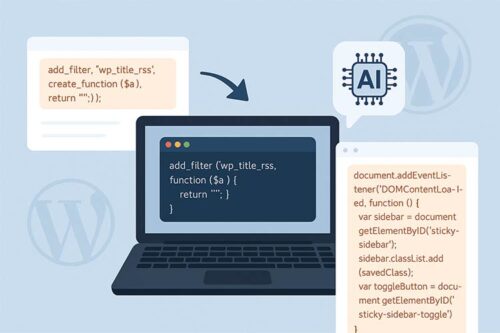
Part of bringing your older WordPress site up to modern standards means refactoring outdated code. We show you how to use AI tools to help identify and fix any issues.

Tips for Taking Event Registrations on Your Website
Tips for Taking Event Registrations on Your Website

Online event registration has become a popular feature in web design. But, before you start taking online registrations, read our tips for choosing the right tool.

How to Use AI to Enhance Your WordPress Blog
How to Use AI to Enhance Your WordPress Blog

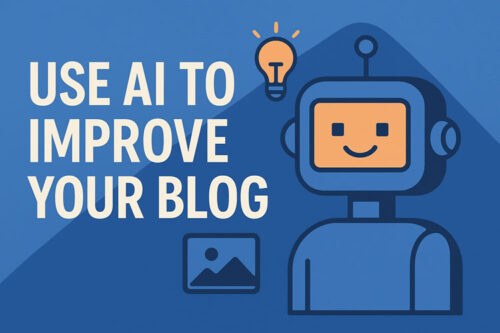
Learn how AI can support your WordPress blog by helping with writing prompts, images, excerpts, grammar, and translations—making blogging easier, faster, and more enjoyable without replacing your voice.

How to Combat AI Bot Traffic on Your Website
How to Combat AI Bot Traffic on Your Website

AI bots are straining our websites by ignoring robots.txt and scraping our content. Learn how you can fight back with tools, plugins, and CDN services to block unwanted AI crawlers and protect resources.

How to Troubleshoot & Debug WordPress Code With AI

How to Troubleshoot & Debug WordPress Code With AI

ChatGPT will save you hours, not to mention a whole lot of stress, debugging and troubleshooting WordPress code. Learn a few tricks for getting the best results with AI.

How to Better Organize Content within WordPress

How to Better Organize Content within WordPress

By mapping out your WordPress posts and pages logically, it will look professional, help with SEO, and will likely reduce your stress levels.

Simple Ways to Customize & Add Functionality to WordPress Plugins

Simple Ways to Customize & Add Functionality to WordPress Plugins

Extending a WordPress plugin doesn’t require expert knowledge. Mostly all you need is an understanding of PHP & HTML is all you need.

When Website Builder Tools Get in the Way of Best Practices

When Website Builder Tools Get in the Way of Best Practices

Website builders aim to simplify the design and build processes. But they take control of the output, and there’s no guarantee they’ll employ best practices.

How WordPress Agencies Can Improve Site Building Efficiency

How WordPress Agencies Can Improve Site Building Efficiency

Improved efficiency allows you to level up your WordPress design agency. We’re all about improving the site-building process without cutting corners. We share how to make it a reality.

How to Create a Custom User Role in WordPress

How to Create a Custom User Role in WordPress

We take a look at what custom user roles are in WordPress, why you’d want to use them, and a few different techniques for creating them.

How to Plan a Redesign of a WordPress Multisite Network

How to Plan a Redesign of a WordPress Multisite Network

From planning and testing to optimizing for performance, we show you how to navigate the complexities of a Multisite Network redesign.

What to Know Before Attending a WordPress Contributor Day

What to Know Before Attending a WordPress Contributor Day